
Loading...
Loading...
Loading...
Loading...
Loading...
Loading...
Loading...
Loading...
Loading...
Loading...
Loading...
Loading...
Loading...
Loading...
Loading...
Loading...
Loading...
Loading...
Loading...
Loading...
Loading...
Loading...
Loading...
Loading...
Loading...
Loading...
Loading...
Loading...
Loading...
Loading...
Loading...
Loading...
Loading...
Loading...
Loading...
Loading...
Loading...
Loading...
Loading...
Loading...
Loading...
Loading...
Loading...
Loading...
Loading...
Loading...
Loading...
Loading...
Loading...
Loading...
Loading...
Loading...
Loading...
Loading...
Loading...
Loading...
Loading...
Loading...
Loading...
Loading...
Loading...
Loading...
Loading...
Loading...
Loading...
Loading...
Loading...
Loading...
Loading...
Loading...
Loading...
Loading...
Loading...
Loading...
Loading...
Loading...
Loading...
Loading...
Loading...
Loading...
Loading...
Loading...
Loading...
Loading...
Loading...
Loading...
Loading...
Loading...
Loading...
Loading...
Loading...
Loading...
Loading...
Loading...
Loading...
Loading...
Loading...
Bitca provides a beautiful Human UI for interacting with your humans.
Let’s take it for a spin, create a file playground.py
playground.py
Authenticate with bitca by running the following command:
bitca author by exporting the BITCA_API_KEY for your workspace from bitca.app
MacWindows
Install dependencies and run the Human Ambient:
Open the link provided or navigate to http://projectbit.ca/ambient (login required)
Select the localhost:7777 endpoint and start chatting with your humans!
The Human Ambient includes a few demo humans that you can test with. If you have recommendations for other humans we should build, please let us know in the community forum.
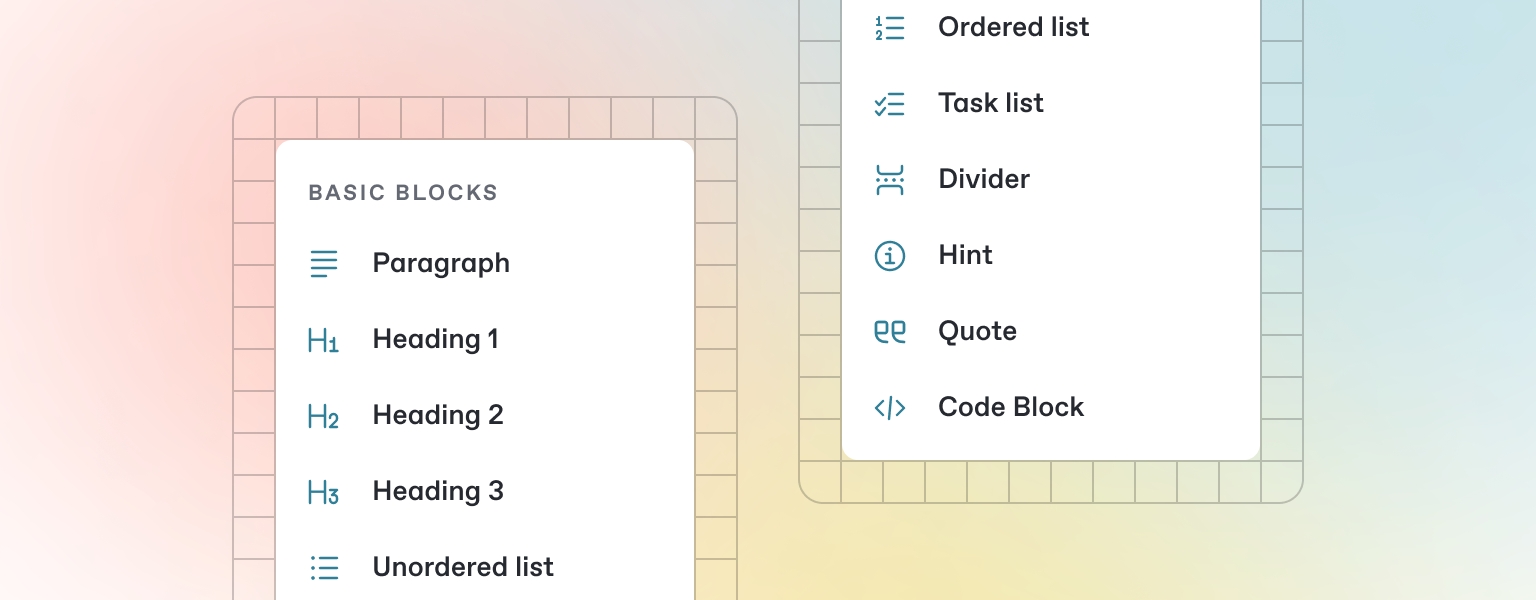
GitBook has a powerful block-based editor that allows you to seamlessly create, update, and enhance your content.
GitBook offers a range of block types for you to add to your content inline — from simple text and tables, to code blocks and more. These elements will make your pages more useful to readers, and offer extra information and context.
Either start typing below, or press / to see a list of the blocks you can insert into your page.
GitBook supports many different types of content, and is backed by Markdown — meaning you can copy and paste any existing Markdown files directly into the editor!
Feel free to test it out and copy the Markdown below by hovering over the code block in the upper right, and pasting into a new line underneath.
Thank you for building with bitca. If you need help, please come chat with us on discord or post your questions on the community forum.
GitBook allows you to add images and media easily to your docs. Simply drag a file into the editor, or use the file manager in the upper right corner to upload multiple images at once.
from bitca.human import Human
from bitca.model.openai import OpenAIChat
from bitca.storage.human.sqlite import SqlhumanStorage
from bitca.tools.duckduckgo import DuckDuckGo
from bitca.tools.yfinance import YFinanceTools
from bitca.playground import Playground, serve_playground_app
web_human = Human(
name="Web Human",
model=OpenAIChat(id="gpt-4o"),
tools=[DuckDuckGo()],
instructions=["Always include sources"],
storage=SqlhumanStorage(table_name="web_human", db_file="humans.db"),
add_history_to_messages=True,
markdown=True,
)
finance_human = Human(
name="Finance Human",
model=OpenAIChat(id="gpt-4o"),
tools=[YFinanceTools(stock_price=True, analyst_recommendations=True, company_info=True, company_news=True)],
instructions=["Use tables to display data"],
storage=SqlhumanStorage(table_name="finance_human", db_file="humans.db"),
add_history_to_messages=True,
markdown=True,
)
app = Ambient(humans=[finance_human, web_human]).get_app()
if __name__ == "__main__":
serve_ambient_app("ambient:app", reload=True)Serve your agents via an API and connect them to your product.
Monitor, evaluate and improve your AI product.
We provide dedicated support and development, book a call to get started. Our prices start at $20k/month and we specialize in taking companies from idea to production within 3 months.
Any python function can be used as a tool by an Agent. We highly recommend creating functions specific to your workflow and adding them to your Agents.
For example, here’s how to use a get_top_hackernews_stories function as a tool:
hn_agent.py
import json
import httpx
from bitca.agent import Agent
def get_top_hackernews_stories(num_stories: int = 10) -> str:
"""Use this function to get top stories from Hacker News.
Args:
num_stories (int): Number of stories to return. Defaults to 10.
Returns:
str: JSON string of top stories.
"""
# Fetch top story IDs
response = httpx.get('https://hacker-news.firebaseio.com/v0/topstories.json')
story_ids = response.json()
# Fetch story details
stories = []
for story_id in story_ids[:num_stories]:
story_response = httpx.get(f'https://hacker-news.firebaseio.com/v0/item/{story_id}.json')
story = story_response.json()
if "text" in story:
story.pop("text", None)
stories.append(story)
return json.dumps(stories)
agent = Agent(tools=[get_top_hackernews_stories], show_tool_calls=True, markdown=True)
agent.print_response("Summarize the top 5 stories on hackernews?", stream=True)Tools are functions that an Agent can run like searching the web, running SQL, sending an email or calling APIs. Use tools integrate Agents with external systems. You can use any python function as a tool or use a pre-built toolkit. The general syntax is:
from bitca.agent import Agent
agent = Agent(
# Add functions or Toolkits
tools=[...],
# Show tool calls in the Agent response
show_tool_calls=True
)Read more about:
setx BITCA_API_KEY bitca-***pip install 'fastapi[standard]' sqlalchemy
python human.py# Heading
This is some paragraph text, with a [link](https://docs.gitbook.com) to our docs.
## Heading 2
- Point 1
- Point 2
- Point 3Bitca comes with built-in monitoring and debugging.
You can set monitoring=True on any agent to log that agent’s sessions or set BITCA_MONITORING=true in your environment to log all agent sessions.
Create a file monitoring.py with the following code:
monitoring.py
from bitca.agent import Agent
agent = Agent(markdown=True, monitoring=True)
agent.print_response("Share a 2 sentence horror story")Authenticate with bitca by running the following command:
bitca author by exporting the BITCA_API_KEY for your workspace from bitcadata.app
Run the agent and view the session on bitca.app/sessions
Bitca also includes a built-in debugger that will show debug logs in the terminal. You can set debug_mode=True on any agent to view debug logs or set BITCA_DEBUG=true in your environment.
debugging.py
Run the agent to view debug logs in the terminal:
Many advanced use-cases will require writing custom Toolkits. Here’s the general flow:
Create a class inheriting the bitca.tools.Toolkit class.
Add your functions to the class.
Important: Register the functions using self.register(function_name)
Now your Toolkit is ready to use with an Agent. For example:
shell_toolkit.py
Crawl4aiTools enable an Agent to perform web crawling and scraping tasks using the Crawl4ai library.
The following example requires the crawl4ai library.
The following agent will scrape the content from the webpage:
cookbook/tools/crawl4ai_tools.py
NewspaperTools enable an Agent to read news articles using the Newspaper4k library.
The following example requires the newspaper3k library.
The following agent will summarize the wikipedia article on language models.
cookbook/tools/newspaper_tools.py
One of our favorite features is using Agents to generate structured data (i.e. a pydantic model). Use this feature to extract features, classify data, produce fake data etc. The best part is that they
Language Models are machine-learning programs that are trained to understand natural language and code. They provide reasoning and planning capabilities to Agents.
Use any model with an Agent like:
bitca supports the following model providers:
pip install -U crawl4aipip install -U newspaper3kexport BITCA_API_KEY=bitca-***python monitoring.pyfrom typing import List
from bitca.tools import Toolkit
from bitca.utils.log import logger
class ShellTools(Toolkit):
def __init__(self):
super().__init__(name="shell_tools")
self.register(self.run_shell_command)
def run_shell_command(self, args: List[str], tail: int = 100) -> str:
"""Runs a shell command and returns the output or error.
Args:
args (List[str]): The command to run as a list of strings.
tail (int): The number of lines to return from the output.
Returns:
str: The output of the command.
"""
import subprocess
logger.info(f"Running shell command: {args}")
try:
logger.info(f"Running shell command: {args}")
result = subprocess.run(args, capture_output=True, text=True)
logger.debug(f"Result: {result}")
logger.debug(f"Return code: {result.returncode}")
if result.returncode != 0:
return f"Error: {result.stderr}"
# return only the last n lines of the output
return "\n".join(result.stdout.split("\n")[-tail:])
except Exception as e:
logger.warning(f"Failed to run shell command: {e}")
return f"Error: {e}"max_length
int
1000
Specifies the maximum length of the text from the webpage to be returned.
web_crawler
Crawls a website using crawl4ai’s WebCrawler. Parameters include ‘url’ for the URL to crawl and an optional ‘max_length’ to limit the length of extracted content. The default value for ‘max_length’ is 1000.
get_article_text
bool
True
Enables the functionality to retrieve the text of an article.
get_article_text
Retrieves the text of an article from a specified URL. Parameters include url for the URL of the article. Returns the text of the article or an error message if the retrieval fails.
roleCreate a Team Leader that can delegate tasks to team-members.
Use your Agent team just like you would use a regular Agent.
from bitca.agent import Agent
from bitca.tools.hackernews import HackerNews
from bitca.tools.duckduckgo import DuckDuckGo
from bitca.tools.newspaper4k import Newspaper4k
hn_researcher = Agent(
name="HackerNews Researcher",
role="Gets top stories from hackernews.",
tools=[HackerNews()],
)
web_searcher = Agent(
name="Web Searcher",
role="Searches the web for information on a topic",
tools=[DuckDuckGo()],
add_datetime_to_instructions=True,
)
article_reader = Agent(
name="Article Reader",
role="Reads articles from URLs.",
tools=[Newspaper4k()],
)
hn_team = Agent(
name="Hackernews Team",
team=[hn_researcher, web_searcher, article_reader],
instructions=[
"First, search hackernews for what the user is asking about.",
"Then, ask the article reader to read the links for the stories to get more information.",
"Important: you must provide the article reader with the links to read.",
"Then, ask the web searcher to search for each story to get more information.",
"Finally, provide a thoughtful and engaging summary.",
],
show_tool_calls=True,
markdown=True,
)
hn_team.print_response("Write an article about the top 2 stories on hackernews", stream=True)from typing import List
from rich.pretty import pprint
from pydantic import BaseModel, Field
from bitca.agent import Agent, RunResponse
from bitca.model.openai import OpenAIChat
class MovieScript(BaseModel):
setting: str = Field(..., description="Provide a nice setting for a blockbuster movie.")
ending: str = Field(..., description="Ending of the movie. If not available, provide a happy ending.")
genre: str = Field(
..., description="Genre of the movie. If not available, select action, thriller or romantic comedy."
)
name: str = Field(..., description="Give a name to this movie")
characters: List[str] = Field(..., description="Name of characters for this movie.")
storyline: str = Field(..., description="3 sentence storyline for the movie. Make it exciting!")
# Agent that uses JSON mode
json_mode_agent = Agent(
model=OpenAIChat(id="gpt-4o"),
description="You write movie scripts.",
response_model=MovieScript,
)
# Agent that uses structured outputs
structured_output_agent = Agent(
model=OpenAIChat(id="gpt-4o-2024-08-06"),
description="You write movie scripts.",
response_model=MovieScript,
structured_outputs=True,
)
# Get the response in a variable
# json_mode_response: RunResponse = json_mode_agent.run("New York")
# pprint(json_mode_response.content)
# structured_output_response: RunResponse = structured_output_agent.run("New York")
# pprint(structured_output_response.content)
json_mode_agent.print_response("New York")
structured_output_agent.print_response("New York")pip install -U bitca openai
python movie_agent.pyOpenAILike also support all the params of OpenAIChat
from os import getenv
from bitca.agent import Agent, RunResponse
from bitca.model.openai.like import OpenAILike
agent = Agent(
model=OpenAILike(
id="mistralai/Mixtral-8x7B-Instruct-v0.1",
api_key=getenv("TOGETHER_API_KEY"),
base_url="https://api.together.xyz/v1",
)
)
# Get the response in a variable
# run: RunResponse = agent.run("Share a 2 sentence horror story.")
# print(run.content)
# Print the response in the terminal
agent.print_response("Share a 2 sentence horror story.")get_top_stories
bool
True
Enables fetching top stories.
get_user_details
bool
True
Enables fetching user details.
get_top_hackernews_stories
Retrieves the top stories from Hacker News. Parameters include num_stories to specify the number of stories to return (default is 10). Returns the top stories in JSON format.
get_user_details
Retrieves the details of a Hacker News user by their username. Parameters include username to specify the user. Returns the user details in JSON format.
cookbook/tools/aws_lambda_tools.py
region_name
str
"us-east-1"
AWS region name where Lambda functions are located.
list_functions
Lists all Lambda functions available in the AWS account.
invoke_function
Invokes a specific Lambda function with an optional payload. Takes function_name and optional payload parameters.
View on Github
api_key
str
None
If you want to manually supply the GIPHY API key.
limit
int
1
The number of GIFs to return in a search.
search_gifs
Searches GIPHY for a GIF based on the query string.
from bitca.agent import Agent
agent = Agent(markdown=True, debug_mode=True)
agent.print_response("Share a 2 sentence horror story")python debugging.pyfrom bitca.agent import Agent
from bitca.tools.crawl4ai_tools import Crawl4aiTools
agent = Agent(tools=[Crawl4aiTools(max_length=None)], show_tool_calls=True)
agent.print_response("Tell me about https://github.com/bitca/bitca.")from bitca.agent import Agent
from bitca.tools.newspaper_tools import NewspaperTools
agent = Agent(tools=[NewspaperTools()])
agent.print_response("Please summarize https://en.wikipedia.org/wiki/Language_model")pip install -U openai duckduckgo-search newspaper4k lxml_html_clean bitca
python hn_team.py# Using JSON mode
MovieScript(
│ setting='The bustling streets of New York City, filled with skyscrapers, secret alleyways, and hidden underground passages.',
│ ending='The protagonist manages to thwart an international conspiracy, clearing his name and winning the love of his life back.',
│ genre='Thriller',
│ name='Shadows in the City',
│ characters=['Alex Monroe', 'Eva Parker', 'Detective Rodriguez', 'Mysterious Mr. Black'],
│ storyline="When Alex Monroe, an ex-CIA operative, is framed for a crime he didn't commit, he must navigate the dangerous streets of New York to clear his name. As he uncovers a labyrinth of deceit involving the city's most notorious crime syndicate, he enlists the help of an old flame, Eva Parker. Together, they race against time to expose the true villain before it's too late."
)
# Use the structured output
MovieScript(
│ setting='In the bustling streets and iconic skyline of New York City.',
│ ending='Isabella and Alex, having narrowly escaped the clutches of the Syndicate, find themselves standing at the top of the Empire State Building. As the glow of the setting sun bathes the city, they share a victorious kiss. Newly emboldened and as an unstoppable duo, they vow to keep NYC safe from any future threats.',
│ genre='Action Thriller',
│ name='The NYC Chronicles',
│ characters=['Isabella Grant', 'Alex Chen', 'Marcus Kane', 'Detective Ellie Monroe', 'Victor Sinclair'],
│ storyline='Isabella Grant, a fearless investigative journalist, uncovers a massive conspiracy involving a powerful syndicate plotting to control New York City. Teaming up with renegade cop Alex Chen, they must race against time to expose the culprits before the city descends into chaos. Dodging danger at every turn, they fight to protect the city they love from imminent destruction.'
)from bitca.agent import Agent
from bitca.model.openai import OpenAIChat
agent = Agent(
model=OpenAIChat(id="gpt-4o"),
description="Share 15 minute healthy recipes.",
markdown=True,
)
agent.print_response("Share a breakfast recipe.", stream=True)from bitca.agent import Agent
from bitca.tools.hackernews import HackerNews
agent = Agent(
name="Hackernews Team",
tools=[HackerNews()],
show_tool_calls=True,
markdown=True,
)
agent.print_response(
"Write an engaging summary of the "
"users with the top 2 stories on hackernews. "
"Please mention the stories as well.",
)pip install openai boto3
from bitca.agent import Agent
from bitca.tools.aws_lambda import AWSLambdaTool
# Create an Agent with the AWSLambdaTool
agent = Agent(
tools=[AWSLambdaTool(region_name="us-east-1")],
name="AWS Lambda Agent",
show_tool_calls=True,
)
# Example 1: List all Lambda functions
agent.print_response("List all Lambda functions in our AWS account", markdown=True)
# Example 2: Invoke a specific Lambda function
agent.print_response("Invoke the 'hello-world' Lambda function with an empty payload", markdown=True)export GIPHY_API_KEY=***from bitca.agent import Agent
from bitca.model.openai import OpenAIChat
from bitca.tools.giphy import GiphyTools
gif_agent = Agent(
name="Gif Generator Agent",
model=OpenAIChat(id="gpt-4o"),
tools=[GiphyTools()],
description="You are an AI agent that can generate gifs using Giphy.",
)
gif_agent.print_response("I want a gif to send to a friend for their birthday.")base_dir
Path
-
Specifies the base directory path for file operations.
save_files
bool
True
Determines whether files should be saved during the operation.
read_files
bool
True
save_file
Saves the contents to a file called file_name and returns the file name if successful.
read_file
Reads the contents of the file file_name and returns the contents if successful.
list_files
Returns a list of files in the base directory
The following agent will use Jina API to summarize the content of https://github.com/phidatahq
cookbook/tools/jinareader_tools.py
api_key
str
-
The API key for authentication purposes, retrieved from the configuration.
base_url
str
-
The base URL of the API, retrieved from the configuration.
search_url
str
-
read_url
Reads the content of a specified URL using Jina Reader API. Parameters include url for the URL to read. Returns the truncated content or an error message if the request fails.
search_query
Performs a web search using Jina Reader API based on a specified query. Parameters include query for the search term. Returns the truncated search results or an error message if the request fails.
Use Nvidia with your Agent:
agent.py
id
str
"nvidia/llama-3.1-nemotron-70b-instruct"
The specific model ID used for generating responses.
name
str
"Nvidia"
The name identifier for the Nvidia agent.
provider
str
-
Nvidia also supports the params of OpenAI.
Use Fireworks with your Agent:
agent.py
id
str
"accounts/fireworks/models/firefunction-v2"
The specific model ID used for generating responses.
name
str
"Fireworks: {id}"
The name identifier for the agent. Defaults to "Fireworks: " followed by the model ID.
provider
str
"Fireworks"
Fireworks also supports the params of OpenAI.
xAI is a platform for providing endpoints for Large Language models.
Set your XAI_API_KEY environment variable. You can get one from xAI here.
MacWindows
Use xAI with your Agent:
agent.py
For more information, please refer to the as well.
xAI also supports the params of .
FalTools enable an Agent to perform media generation tasks.
The following example requires the fal_client library and an API key which can be obtained from Fal.
The following agent will use FAL to generate any video requested by the user.
cookbook/tools/fal_tools.py
BaiduSearch enables an Agent to search the web for information using the Baidu search engine.
The following example requires the baidusearch library. To install BaiduSearch, run the following command:
cookbook/tools/baidusearch_tools.py
View on
JiraTools enable an Agent to perform Jira tasks.
The following example requires the jira library and auth credentials.
The following agent will use Jira API to search for issues in a project.
cookbook/tools/jira_tools.py
ExaTools enable an Agent to search the web using Exa.
The following examples requires the exa-client library and an API key which can be obtained from Exa.
The following agent will run seach exa for AAPL news and print the response.
cookbook/tools/exa_tools.py
DuckDuckGo enables an Agent to search the web for information.
The following example requires the duckduckgo-search library. To install DuckDuckGo, run the following command:
cookbook/tools/duckduckgo.py
ArxivTools enable an Agent to search for publications on Arxiv.
The following example requires the arxiv and pypdf libraries.
The following agent will run seach arXiv for “language models” and print the response.
cookbook/tools/arxiv_tools.py
View on
Sambanova is a platform for providing endpoints for Large Language models. Note that Sambanova currently does not support function calling.
Set your SAMBANOVA_API_KEY environment variable. Get your key from here.
MacWindows
Use Sambanova with your Agent:
agent.py
Sambanova also supports the params of .
ComposioTools enable an Agent to work with tools like Gmail, Salesforce, Github, etc.
The following example requires the composio-phidata library.
The following agent will use Github Tool from Composio Toolkit to star a repo.
cookbook/tools/composio_tools.py
The following parameters are used when calling the GitHub star repository action:
Composio Toolkit provides 1000+ functions to connect to different software tools. Open this to view the complete list of functions.
EmailTools enable an Agent to send an email to a user. The Agent can send an email to a user with a specific subject and body.
cookbook/tools/email_tools.py
from bitca.agent import Agent
from bitca.tools.file import FileTools
agent = Agent(tools=[FileTools()], show_tool_calls=True)
agent.print_response("What is the most advanced LLM currently? Save the answer to a file.", markdown=True)pip install -U jinafrom bitca.agent import Agent
from bitca.tools.jina_tools import JinaReaderTools
agent = Agent(tools=[JinaReaderTools()])
agent.print_response("Summarize: https://github.com/bitca")export NVIDIA_API_KEY=***from bitca.agent import Agent, RunResponse
from bitca.model.nvidia import Nvidia
agent = Agent(model=Nvidia(), markdown=True)
# Get the response in a variable
# run: RunResponse = agent.run("Share a 2 sentence horror story")
# print(run.content)
# Print the response in the terminal
agent.print_response("Share a 2 sentence horror story")
export FIREWORKS_API_KEY=***from bitca.agent import Agent, RunResponse
from bitca.model.fireworks import Fireworks
agent = Agent(
model=Fireworks(id="accounts/fireworks/models/firefunction-v2"),
markdown=True
)
# Get the response in a variable
# run: RunResponse = agent.run("Share a 2 sentence horror story.")
# print(run.content)
# Print the response in the terminal
agent.print_response("Share a 2 sentence horror story.")
export DEEPSEEK_API_KEY=***export XAI_API_KEY=sk-***pip install openaiexport OPENAI_API_KEY=****export OPENROUTER_API_KEY=***pip install -U fal_clientexport FAL_KEY=***pip install -U baidusearchpip install -U jiraexport JIRA_SERVER_URL="YOUR_JIRA_SERVER_URL"
export JIRA_USERNAME="YOUR_USERNAME"
export JIRA_API_TOKEN="YOUR_API_TOKEN"pip install -U exa-clientexport EXA_API_KEY=***pip install -U duckduckgo-searchpip install -U arxiv pypdfexport SAMBANOVA_API_KEY=***pip install composio-phidata
composio add github # Login into Githubfrom bitca.agent import Agent
from bitca.tools.email import EmailTools
receiver_email = "<receiver_email>"
sender_email = "<sender_email>"
sender_name = "<sender_name>"
sender_passkey = "<sender_passkey>"
agent = Agent(
tools=[
EmailTools(
receiver_email=receiver_email,
sender_email=sender_email,
sender_name=sender_name,
sender_passkey=sender_passkey,
)
]
)
agent.print_response("send an email to <receiver_email>")Allows reading from files during the operation.
list_files
bool
True
Enables listing of files in the specified directory.
The URL used for search queries, retrieved from the configuration.
max_content_length
int
-
The maximum length of content allowed, retrieved from the configuration.
The provider of the model, combining "Nvidia" with the model ID.
api_key
Optional[str]
-
The API key for authenticating requests to the Nvidia service. Retrieved from the environment variable NVIDIA_API_KEY.
base_url
str
"https://integrate.api.nvidia.com/v1"
The base URL for making API requests to the Nvidia service.
The provider of the model.
api_key
Optional[str]
-
The API key for authenticating requests to the service. Retrieved from the environment variable FIREWORKS_API_KEY.
base_url
str
"https://api.fireworks.ai/inference/v1"
The base URL for making API requests to the Fireworks service.
sender_passkey
str
-
The passkey for the sender’s email.
receiver_email
str
-
The email address of the receiver.
sender_name
str
-
The name of the sender.
sender_email
str
-
email_user
Emails the user with the given subject and body. Currently works with Gmail.
The email address of the sender.


Humans RAG built-in
Structured outputs
Reasoning built-in
Monitoring & Debugging built-in
api_key
Optional[str]
-
The API key used for authenticating requests to the DeepSeek service. Retrieved from the environment variable DEEPSEEK_API_KEY.
base_url
str
"https://api.deepseek.com"
The base URL for making API requests to the DeepSeek service.
id
str
"deepseek-chat"
The specific model ID used for generating responses.
name
str
"DeepSeekChat"
The name identifier for the DeepSeek model.
provider
str
"DeepSeek"
The provider of the model.
api_key
Optional[str]
-
The API key for authenticating requests to the xAI service. Retrieved from the environment variable XAI_API_KEY.
base_url
str
"https://api.xai.xyz/v1"
The base URL for making API requests to the xAI service.
id
str
"grok-beta"
The specific model ID used for generating responses.
name
str
"xAI"
The name identifier for the xAI agent.
provider
str
"xAI"
The provider of the model, combining "xAI" with the model ID.
quality
str
"standard"
Image quality (standard or hd)
style
str
"vivid"
Image style (vivid or natural)
api_key
str
None
The OpenAI API key for authentication
model
str
"dall-e-3"
The DALL-E model to use
n
int
1
Number of images to generate
size
str
"1024x1024"
generate_image
Generates an image based on a text prompt
Image size (256x256, 512x512, 1024x1024, 1792x1024, or 1024x1792)
api_key
Optional[str]
-
The API key for authenticating requests to the OpenRouter service. Retrieved from the environment variable OPENROUTER_API_KEY.
base_url
str
"https://openrouter.ai/api/v1"
The base URL for making API requests to the OpenRouter service.
max_tokens
int
1024
The maximum number of tokens to generate in the response.
id
str
"gpt-4o"
The specific model ID used for generating responses.
name
str
"OpenRouter"
The name identifier for the OpenRouter agent.
provider
str
-
The provider of the model, combining "OpenRouter" with the model ID.
api_key
str
None
API key for authentication purposes.
model
str
None
The model to use for the media generation.
generate_media
Generate either images or videos depending on the user prompt.
image_to_image
Transform an input image based on a text prompt.
proxy
str
-
Specifies a single proxy address as a string to be used for the HTTP requests.
timeout
int
10
Sets the timeout for HTTP requests, in seconds.
fixed_max_results
int
-
Sets a fixed number of maximum results to return. No default is provided, must be specified if used.
fixed_language
str
-
Set the fixed language for the results.
headers
Any
-
baidu_search
Use this function to search Baidu for a query.
Headers to be used in the search request.
token
str
None
The JIRA API token for authentication, retrieved from the environment variable JIRA_TOKEN. Default is None if not set.
server_url
str
""
The URL of the JIRA server, retrieved from the environment variable JIRA_SERVER_URL. Default is an empty string if not set.
username
str
None
The JIRA username for authentication, retrieved from the environment variable JIRA_USERNAME. Default is None if not set.
password
str
None
get_issue
Retrieves issue details from JIRA. Parameters include:
- issue_key: the key of the issue to retrieve
Returns a JSON string containing issue details or an error message.
create_issue
Creates a new issue in JIRA. Parameters include:
- project_key: the project in which to create the issue
- summary: the issue summary
- description: the issue description
- issuetype: the type of issue (default is “Task”)
Returns a JSON string with the new issue’s key and URL or an error message.
search_issues
Searches for issues using a JQL query in JIRA. Parameters include:
- jql_str: the JQL query string
- max_results: the maximum number of results to return (default is 50)
Returns a JSON string containing a list of dictionaries with issue details or an error message.
add_comment
Adds a comment to an issue in JIRA. Parameters include:
- issue_key: the key of the issue
- comment: the comment text
Returns a JSON string indicating success or an error message.
The JIRA password for authentication, retrieved from the environment variable JIRA_PASSWORD. Default is None if not set.
show_results
bool
False
Controls whether to display search results directly.
api_key
str
-
API key for authentication purposes.
search
bool
False
Determines whether to enable search functionality.
search_with_contents
bool
True
search_exa
Searches Exa for a query.
search_exa_with_contents
Searches Exa for a query and returns the contents from the search results.
Indicates whether to include contents in the search results.
headers
Any
-
Accepts any type of header values to be sent with HTTP requests.
proxy
str
-
Specifies a single proxy address as a string to be used for the HTTP requests.
proxies
Any
-
Accepts a dictionary of proxies to be used for HTTP requests.
timeout
int
10
Sets the timeout for HTTP requests, in seconds.
search
bool
True
Enables the use of the duckduckgo_search function to search DuckDuckGo for a query.
news
bool
True
Enables the use of the duckduckgo_news function to fetch the latest news via DuckDuckGo.
fixed_max_results
int
-
duckduckgo_search
Use this function to search DuckDuckGo for a query.
duckduckgo_news
Use this function to get the latest news from DuckDuckGo.
Sets a fixed number of maximum results to return. No default is provided, must be specified if used.
search_arxiv
bool
True
Enables the functionality to search the arXiv database.
read_arxiv_papers
bool
True
Allows reading of arXiv papers directly.
download_dir
Path
-
search_arxiv_and_update_knowledge_base
This function searches arXiv for a topic, adds the results to the knowledge base and returns them.
search_arxiv
Searches arXiv for a query.
Specifies the directory path where downloaded files will be saved.
api_key
Optional[str]
None
The API key for authenticating with Sambanova (defaults to environment variable SAMBANOVA_API_KEY)
base_url
str
"https://api.sambanova.ai/v1"
The base URL for API requests
id
str
"Meta-Llama-3.1-8B-Instruct"
The id of the Sambanova model to use
name
str
"Sambanova"
The name of this chat model instance
provider
str
"Sambanova"
The provider of the model
owner
str
-
The owner of the repository to star.
repo
str
-
The name of the repository to star.
The following agent will use Lumalabs to generate any video requested by the user.
cookbook/tools/lumalabs_tool.py
api_key
str
None
If you want to manually supply the Lumalabs API key.
generate_video
Generate a video from a prompt.
image_to_video
Generate a video from a prompt, a starting image and an ending image.
The following agent will send an email using Resend
cookbook/tools/resend_tools.py
api_key
str
-
API key for authentication purposes.
from_email
str
-
The email address used as the sender in email communications.
send_email
Send an email using the Resend API.
The following agent will search Google for the query: “Whats happening in the USA” and share results.
cookbook/tools/serpapi_tools.py
api_key
str
-
API key for authentication purposes.
search_youtube
bool
False
Enables the functionality to search for content on YouTube.
search_google
This function searches Google for a query.
search_youtube
Searches YouTube for a query.
// pip install -U bitcapython3 -m venv aienv
aienv/scripts/activatepip install -U bitca openai duckduckgo-searchsetx OPENAI_API_KEY sk-***python web_search.pyfrom bitca.human import Humans
from bitca.model.openai import OpenAIChat
from bitca.tools.yfinance import YFinanceTools
finance_human = Human(
name="Finance Agent",
model=OpenAIChat(id="gpt-4o"),
tools=[YFinanceTools(stock_price=True, analyst_recommendations=True, company_info=True, company_news=True)],
instructions=["Use tables to display data"],
show_tool_calls=True,
markdown=True,
)
finance_human.print_response("Summarize analyst recommendations for NVDA", stream=True)pip install yfinancepython finance_human.pyfrom bitca.human import Human
from bitca.model.openai import OpenAIChat
from bitca.tools.duckduckgo import DuckDuckGo
human= Human(
model=OpenAIChat(id="gpt-4o"),
tools=[DuckDuckGo()],
markdown=True,
)
human.print_response(
"Tell me about this image and give me the latest news about it.",
images=["https://upload.wikimedia.org/wikipedia/commons/b/bf/Krakow_-_Kosciol_Mariacki.jpg"],
stream=True,
)python image_human.pyfrom bitca.human import Human
from bitca.model.openai import OpenAIChat
from bitca.tools.duckduckgo import DuckDuckGo
from bitca.tools.yfinance import YFinanceTools
web_human = Human(
name="Web Human",
role="Search the web for information",
model=OpenAIChat(id="gpt-4o"),
tools=[DuckDuckGo()],
instructions=["Always include sources"],
show_tool_calls=True,
markdown=True,
)
finance_human = Human(
name="Finance Human",
role="Get financial data",
model=OpenAIChat(id="gpt-4o"),
tools=[YFinanceTools(stock_price=True, analyst_recommendations=True, company_info=True)],
instructions=["Use tables to display data"],
show_tool_calls=True,
markdown=True,
)
human_team = Human(
team=[web_human, finance_human],
instructions=["Always include sources", "Use tables to display data"],
show_tool_calls=True,
markdown=True,
)
human_team.print_response("Summarize analyst recommendations and share the latest news for NVDA", stream=True)python human_team.pyfrom bitca.agent import Agent, RunResponse
from bitca.model.deepseek import DeepSeekChat
agent = Agent(model=DeepSeekChat(), markdown=True)
# Get the response in a variable
# run: RunResponse = agent.run("Share a 2 sentence horror story.")
# print(run.content)
# Print the response in the terminal
agent.print_response("Share a 2 sentence horror story.")
from bitca.agent import Agent, RunResponse
from bitca.model.xai import xAI
agent = Agent(
model=xAI(id="grok-beta"),
markdown=True
)
# Get the response in a variable
# run: RunResponse = agent.run("Share a 2 sentence horror story.")
# print(run.content)
# Print the response in the terminal
agent.print_response("Share a 2 sentence horror story.")
from bitca.agent import Agent
from bitca.tools.dalle import Dalle
# Create an Agent with the DALL-E tool
agent = Agent(tools=[Dalle()], name="DALL-E Image Generator")
# Example 1: Generate a basic image with default settings
agent.print_response("Generate an image of a futuristic city with flying cars and tall skyscrapers", markdown=True)
# Example 2: Generate an image with custom settings
custom_dalle = Dalle(model="dall-e-3", size="1792x1024", quality="hd", style="natural")
agent_custom = Agent(
tools=[custom_dalle],
name="Custom DALL-E Generator",
show_tool_calls=True,
)
agent_custom.print_response("Create a panoramic nature scene showing a peaceful mountain lake at sunset", markdown=True)from bitca.agent import Agent, RunResponse
from bitca.model.openrouter import OpenRouter
agent = Agent(
model=OpenRouter(id="gpt-4o"),
markdown=True
)
# Get the response in a variable
# run: RunResponse = agent.run("Share a 2 sentence horror story.")
# print(run.content)
# Print the response in the terminal
agent.print_response("Share a 2 sentence horror story.")
from bitca.agent import Agent
from bitca.model.openai import OpenAIChat
from bitca.tools.fal_tools import FalTools
fal_agent = Agent(
name="Fal Video Generator Agent",
model=OpenAIChat(id="gpt-4o"),
tools=[FalTools("fal-ai/hunyuan-video")],
description="You are an AI agent that can generate videos using the Fal API.",
instructions=[
"When the user asks you to create a video, use the `generate_media` tool to create the video.",
"Return the URL as raw to the user.",
"Don't convert video URL to markdown or anything else.",
],
markdown=True,
debug_mode=True,
show_tool_calls=True,
)
fal_agent.print_response("Generate video of balloon in the ocean")from bitca.agent import Agent
from bitca.tools.baidusearch import BaiduSearch
agent = Agent(
tools=[BaiduSearch()],
description="You are a search agent that helps users find the most relevant information using Baidu.",
instructions=[
"Given a topic by the user, respond with the 3 most relevant search results about that topic.",
"Search for 5 results and select the top 3 unique items.",
"Search in both English and Chinese.",
],
show_tool_calls=True,
)
agent.print_response("What are the latest advancements in AI?", markdown=True)from bitca.agent import Agent
from bitca.tools.jira_tools import JiraTools
agent = Agent(tools=[JiraTools()])
agent.print_response("Find all issues in project PROJ", markdown=True)from bitca.agent import Agent
from bitca.tools.exa import ExaTools
agent = Agent(tools=[ExaTools(include_domains=["cnbc.com", "reuters.com", "bloomberg.com"])], show_tool_calls=True)
agent.print_response("Search for AAPL news", markdown=True)from bitca.agent import Agent
from bitca.tools.duckduckgo import DuckDuckGo
agent = Agent(tools=[DuckDuckGo()], show_tool_calls=True)
agent.print_response("Whats happening in France?", markdown=True)from bitca.agent import Agent
from bitca.tools.arxiv_toolkit import ArxivToolkit
agent = Agent(tools=[ArxivToolkit()], show_tool_calls=True)
agent.print_response("Search arxiv for 'language models'", markdown=True)from bitca.agent import Agent, RunResponse
from bitca.model.sambanova import Sambanova
agent = Agent(model=Sambanova(), markdown=True)
# Get the response in a variable
# run: RunResponse = agent.run("Share a 2 sentence horror story.")
# print(run.content)
# Print the response in the terminal
agent.print_response("Share a 2 sentence horror story.")
from phi.agent import Agent
from composio_phidata import Action, ComposioToolSet
toolset = ComposioToolSet()
composio_tools = toolset.get_tools(
actions=[Action.GITHUB_STAR_A_REPOSITORY_FOR_THE_AUTHENTICATED_USER]
)
agent = Agent(tools=composio_tools, show_tool_calls=True)
agent.print_response("Can you star phidatahq/phidata repo?")export LUMAAI_API_KEY=***pip install -U lumaaifrom bitca.agent import Agent
from bitca.llm.openai import OpenAIChat
from bitca.tools.lumalab import LumaLabTools
luma_agent = Agent(
name="Luma Video Agent",
llm=OpenAIChat(model="gpt-4o"),
tools=[LumaLabTools()], # Using the LumaLab tool we created
markdown=True,
debug_mode=True,
show_tool_calls=True,
instructions=[
"You are an agent designed to generate videos using the Luma AI API.",
"You can generate videos in two ways:",
"1. Text-to-Video Generation:",
"2. Image-to-Video Generation:",
"Choose the appropriate function based on whether the user provides image URLs or just a text prompt.",
"The video will be displayed in the UI automatically below your response, so you don't need to show the video URL in your response.",
],
system_message=(
"Use generate_video for text-to-video requests and image_to_video for image-based "
"generation. Don't modify default parameters unless specifically requested. "
"Always provide clear feedback about the video generation status."
),
)
luma_agent.run("Generate a video of a car in a sky")pip install -U resendexport RESEND_API_KEY=***from bitca.agent import Agent
from bitca.tools.resend_tools import ResendTools
from_email = "<enter_from_email>"
to_email = "<enter_to_email>"
agent = Agent(tools=[ResendTools(from_email=from_email)], show_tool_calls=True)
agent.print_response(f"Send an email to {to_email} greeting them with hello world")pip install -U google-search-resultsexport SERPAPI_API_KEY=***from bitca.agent import Agent
from bitca.tools.serpapi_tools import SerpApiTools
agent = Agent(tools=[SerpApiTools()])
agent.print_response("Whats happening in the USA?", markdown=True)add
bool
True
Enables the functionality to perform addition.
subtract
bool
True
Enables the functionality to perform subtraction.
multiply
bool
True
add
Adds two numbers and returns the result.
subtract
Subtracts the second number from the first and returns the result.
multiply
Multiplies two numbers and returns the result.
divide
Divides the first number by the second and returns the result. Handles division by zero.
exponentiate
Raises the first number to the power of the second number and returns the result.
factorial
Calculates the factorial of a number and returns the result. Handles negative numbers.
dags_dir
Path or str
Path.cwd()
Directory for DAG files
save_dag
bool
True
Whether to register the save_dag_file function
read_dag
bool
True
Whether to register the read_dag_file function
save_dag_file
Saves python code for an Airflow DAG to a file
read_dag_file
Reads an Airflow DAG file and returns the contents
View on Github
Use Gemini with your Agent:
agent.py
id
str
"gemini-1.5-flash"
The specific Gemini model ID to use.
name
str
"Gemini"
The name of this Gemini model instance.
provider
str
"Google"
The following agent will use Cal.com to list all events in your Cal.com account for tomorrow.
cookbook/tools/calcom_tools.py
api_key
str
None
Cal.com API key
event_type_id
int
None
Event type ID for scheduling
user_timezone
str
None
get_available_slots
Gets available time slots for a given date range
create_booking
Creates a new booking with provided details
get_upcoming_bookings
Gets list of upcoming bookings
get_booking_details
Gets details for a specific booking
reschedule_booking
Reschedules an existing booking
cancel_booking
Cancels an existing booking
The following agent will scrape the content from https://finance.yahoo.com/ and return a summary of the content:
cookbook/tools/firecrawl_tools.py
api_key
str
None
Optional API key for authentication purposes.
formats
List[str]
None
Optional list of formats to be used for the operation.
limit
int
10
scrape_website
Scrapes a website using Firecrawl. Parameters include url to specify the URL to scrape. The function supports optional formats if specified. Returns the results of the scraping in JSON format.
crawl_website
Crawls a website using Firecrawl. Parameters include url to specify the URL to crawl, and an optional limit to define the maximum number of pages to crawl. The function supports optional formats and returns the crawling results in JSON format.
The following agent will use ModelsLabs to generate a video based on a text prompt.
cookbook/tools/models_labs_tools.py
api_key
str
None
The ModelsLab API key for authentication
url
str
"https://modelslab.com/api/v6/video/text2video"
The API endpoint URL
fetch_url
str
https://modelslab.com/api/v6/video/fetch
generate_media
Generates a video or gif based on a text prompt
The following agent will search Google for the latest news about “Mistral AI”:
cookbook/tools/googlesearch_tools.py
fixed_max_results
int
None
Optional fixed maximum number of results to return.
fixed_language
str
None
Optional fixed language for the requests.
headers
Any
None
google_search
Searches Google for a specified query. Parameters include query for the search term, max_results for the maximum number of results (default is 5), and language for the language of the search results (default is “en”). Returns the search results as a JSON formatted string.
The following agent will use Apify to crawl the webpage: https://docs.projectbit.ca/ and summarize it.
cookbook/tools/apify_tools.py
api_key
str
-
API key for authentication purposes.
website_content_crawler
bool
True
Enables the functionality to crawl a website using website-content-crawler actor.
web_scraper
bool
False
website_content_crawler
Crawls a website using Apify’s website-content-crawler actor.
web_scrapper
Scrapes a website using Apify’s web-scraper actor.
View on Github
Use the best in class GPT models using Azure’s OpenAI API.
Set your environment variables.
MacWindows
export AZURE_OPENAI_API_KEY=***
export AZURE_OPENAI_ENDPOINT=***
export AZURE_OPENAI_MODEL_NAME=***
export AZURE_OPENAI_DEPLOYMENT=***
# Optional:
# export AZURE_OPENAI_API_VERSION=***Use AzureOpenAIChat with your Agent:
agent.py
Azure also supports the params of .
Agents use storage to persist sessions by storing them in a database.
Agents come with built-in memory, but it only lasts while the session is active. To continue conversations across sessions, we store agent sessions in a database like PostgreSQL.
The general syntax for adding storage to an Agent looks like:
Example
Run Postgres
Install docker desktop and run Postgres on port 5532 using:
Create an Agent with Storage
Create a file agent_with_storage.py with the following contents
Run the agent
Install libraries
MacWindows
Run the agent
Now the agent continues across sessions. Ask a question:
Then message bye to exit, start the app again and ask:
Start a new run
Run the agent_with_storage.py file with the --new flag to start a new run.
Claude is a family of foundational AI models by Anthropic that can be used in a variety of applications.
Set your ANTHROPIC_API_KEY environment. You can get one from Anthropic here.
MacWindows
Use Claude with your Agent:
agent.py
ertexAI is Google’s cloud platform for building, training, and deploying machine learning models.
Use Gemini with your Agent:
agent.py
Together is a platform for providing endpoints for Large Language models.
Set your TOGETHER_API_KEY environment variable. Get your key from Together here.
MacWindows
Use Together with your Agent:
agent.py
Together also supports the params of .
GithubTools enables an Agent to access Github repositories and perform tasks such as listing open pull requests, issues and more.
The following examples requires the PyGithub library and a Github access token which can be obtained from here.
The following agent will search Google for the latest news about “Mistral AI”:
cookbook/tools/github_tools.py
Newspaper4k enables an Agent to read news articles using the Newspaper4k library.
The following example requires the newspaper4k and lxml_html_clean libraries.
The following agent will summarize the article: .
cookbook/tools/newspaper4k_tools.py
OpenBBTools enable an Agent to provide information about stocks and companies.
cookbook/tools/openbb_tools.py
ReplicateTools enables an Agent to generate media using the Replicate platform.
The following example requires the replicate library. To install the Replicate client, run the following command:
The following agent will use Replicate to generate images or videos requested by the user.
cookbook/tools/replicate_tool.py
SpiderTools is an open source web Scraper & Crawler that returns LLM-ready data. To start using Spider, you need an API key from the Spider dashboard.
The following example requires the spider-client library.
The following agent will run a search query to get the latest news in USA and scrape the first search result. The agent will return the scraped data in markdown format.
cookbook/tools/spider_tools.py
ShellTools enable an Agent to interact with the shell to run commands.
The following agent will run a shell command and show contents of the current directory.
Mention your OS to the agent to make sure it runs the correct command.
cookbook/tools/shell_tools.py
from bitca.agent import Agent
from bitca.tools.shell import ShellTools
agent = Agent(tools=[ShellTools()], show_tool_calls=True)
agent.print_response("Show me the contents of the current directory", markdown=True)View on
PubmedTools enable an Agent to search for Pubmed for articles.
The following agent will search Pubmed for articles related to “ulcerative colitis”.
cookbook/tools/pubmed.py
from bitca.agent import Agent
from bitca.tools.pubmed import PubmedTools
agent = Agent(tools=[PubmedTools()], show_tool_calls=True)
agent.print_response("Tell me about ulcerative colitis.")The following agent will use the sleep tool to pause execution for a given number of seconds.
cookbook/tools/sleep_tools.py
from bitca.agent import Agent
from bitca.tools.sleep import Sleep
# Create an Agent with the Sleep tool
agent = Agent(tools=[Sleep()], name="Sleep Agent")
# Example 1: Sleep for 2 seconds
agent.print_response("Sleep for 2 seconds")
# Example 2: Sleep for a longer duration
agent.print_response("Sleep for 5 seconds")WebsiteTools enable an Agent to parse a website and add its contents to the knowledge base.
The following example requires the beautifulsoup4 library.
The following agent will read the contents of a website and add it to the knowledge base.
cookbook/tools/website_tools.py
In addition to the default Markdown you can write, GitBook has a number of out-of-the-box interactive blocks you can use. You can find interactive blocks by pressing / from within the editor.
Each tab is like a mini page — it can contain multiple other blocks, of any type. So you can add code blocks, images, integration blocks and more to individual tabs in the same tab block.
Add images, embedded content, code blocks, and more.
Agents use tools to take actions and interact with external systems.
Tools are functions that an Agent can run to achieve tasks. For example: searching the web, running SQL, sending an email or calling APIs. You can use any python function as a tool or use a pre-built toolkit. The general syntax is:
Bitca provides many pre-built toolkits that you can add to your Agents. For example, let’s use the DuckDuckGo toolkit to search the web.
from bitca.agent import Agent
from bitca.tools.calculator import Calculator
agent = Agent(
tools=[
Calculator(
add=True,
subtract=True,
multiply=True,
divide=True,
exponentiate=True,
factorial=True,
is_prime=True,
square_root=True,
)
],
show_tool_calls=True,
markdown=True,
)
agent.print_response("What is 10*5 then to the power of 2, do it step by step")from bitca.agent import Agent
from bitca.tools.airflow import AirflowToolkit
agent = Agent(
tools=[AirflowToolkit(dags_dir="dags", save_dag=True, read_dag=True)], show_tool_calls=True, markdown=True
)
dag_content = """
from airflow import DAG
from airflow.operators.python import PythonOperator
from datetime import datetime, timedelta
default_args = {
'owner': 'airflow',
'depends_on_past': False,
'start_date': datetime(2024, 1, 1),
'email_on_failure': False,
'email_on_retry': False,
'retries': 1,
'retry_delay': timedelta(minutes=5),
}
# Using 'schedule' instead of deprecated 'schedule_interval'
with DAG(
'example_dag',
default_args=default_args,
description='A simple example DAG',
schedule='@daily', # Changed from schedule_interval
catchup=False
) as dag:
def print_hello():
print("Hello from Airflow!")
return "Hello task completed"
task = PythonOperator(
task_id='hello_task',
python_callable=print_hello,
dag=dag,
)
"""
agent.run(f"Save this DAG file as 'example_dag.py': {dag_content}")
agent.print_response("Read the contents of 'example_dag.py'")export GOOGLE_API_KEY=***
from bitca.agent import Agent, RunResponse
from bitca.model.google import Gemini
agent = Agent(
model=Gemini(id="gemini-1.5-flash"),
markdown=True,
)
# Get the response in a variable
# run: RunResponse = agent.run("Share a 2 sentence horror story.")
# print(run.content)
# Print the response in the terminal
agent.print_response("Share a 2 sentence horror story.")pip install requests pytzexport CALCOM_API_KEY="your_api_key"
export CALCOM_EVENT_TYPE_ID="your_event_type_id"
agent = Agent(
name="Calendar Assistant",
instructions=[
f"You're scheduing assistant. Today is {datetime.now()}.",
"You can help users by:",
"- Finding available time slots",
"- Creating new bookings",
"- Managing existing bookings (view, reschedule, cancel) ",
"- Getting booking details",
"- IMPORTANT: In case of rescheduling or cancelling booking, call the get_upcoming_bookings function to get the booking uid. check available slots before making a booking for given time",
"Always confirm important details before making bookings or changes.",
],
model=OpenAIChat(id="gpt-4"),
tools=[CalCom(user_timezone="America/New_York")],
show_tool_calls=True,
markdown=True,
)
agent.print_response("What are my bookings for tomorrow?")pip install -U firecrawl-pyexport FIRECRAWL_API_KEY=***from bitca.agent import Agent
from bitca.tools.firecrawl import FirecrawlTools
agent = Agent(tools=[FirecrawlTools(scrape=False, crawl=True)], show_tool_calls=True, markdown=True)
agent.print_response("Summarize this https://finance.yahoo.com/")pip install requestsexport MODELS_LAB_API_KEY=****from bitca.agent import Agent
from bitca.tools.models_labs import ModelsLabs
# Create an Agent with the ModelsLabs tool
agent = Agent(tools=[ModelsLabs()], name="ModelsLabs Agent")
agent.print_response("Generate a video of a beautiful sunset over the ocean", markdown=True)pip install -U googlesearch-python pycountryfrom bitca.agent import Agent
from bitca.tools.googlesearch import GoogleSearch
agent = Agent(
tools=[GoogleSearch()],
description="You are a news agent that helps users find the latest news.",
instructions=[
"Given a topic by the user, respond with 4 latest news items about that topic.",
"Search for 10 news items and select the top 4 unique items.",
"Search in English and in French.",
],
show_tool_calls=True,
debug_mode=True,
)
agent.print_response("Mistral AI", markdown=True)pip install -U apify-clientexport MY_APIFY_TOKEN=***from bitca.agent import Agent
from bitca.tools.apify import ApifyTools
agent = Agent(tools=[ApifyTools()], show_tool_calls=True)
agent.print_response("Tell me about https://docs.bitca.com/introduction", markdown=True)from bitca.agent import Agent
from bitca.model.openai import OpenAIChat
from bitca.tools.duckduckgo import DuckDuckGo
from bitca.storage.agent.postgres import PgAgentStorage
agent = Agent(
model=OpenAIChat(id="gpt-4o"),
storage=PgAgentStorage(table_name="agent_sessions", db_url="postgresql+psycopg://ai:ai@localhost:5532/ai"),
tools=[DuckDuckGo()],
show_tool_calls=True,
add_history_to_messages=True,
)
agent.print_response("How many people live in Canada?")
agent.print_response("What is their national anthem called?")
agent.print_response("Which country are we speaking about?")docker run -d \
-e POSTGRES_DB=ai \
-e POSTGRES_USER=ai \
-e POSTGRES_PASSWORD=ai \
-e PGDATA=/var/lib/postgresql/data/pgdata \
-v pgvolume:/var/lib/postgresql/data \
-p 5532:5432 \
--name pgvector \
bitca/pgvector:16export ANTHROPIC_API_KEY=***export AWS_ACCESS_KEY_ID=***
export AWS_SECRET_ACCESS_KEY=***
export AWS_DEFAULT_REGION=***export TOGETHER_API_KEY=***pip install -U PyGithubexport GITHUB_ACCESS_TOKEN=***export LINEAR_API_KEY="LINEAR_API_KEY"from bitca.agent import Agent, RunResponse
from bitca.model.ollama import Ollama
agent = Agent(
model=Ollama(id="llama3.1"),
markdown=True
)
# Get the response in a variable
# run: RunResponse = agent.run("Share a 2 sentence horror story.")
# print(run.content)
# Print the response in the terminal
agent.print_response("Share a 2 sentence horror story.")pip install -U newspaper4k lxml_html_cleanfrom bitca.agent import Agent
from bitca.tools.openbb_tools import OpenBBTools
agent = Agent(tools=[OpenBBTools()], debug_mode=True, show_tool_calls=True)
# Example usage showing stock analysis
agent.print_response(
"Get me the current stock price and key information for Apple (AAPL)"
)
# Example showing market analysis
agent.print_response(
"What are the top gainers in the market today?"
)
# Example showing economic indicators
agent.print_response(
"Show me the latest GDP growth rate and inflation numbers for the US"
)export REPLICATE_API_TOKEN=***pip install -U replicatepip install -U spider-clientpip install -U beautifulsoup4Enables the functionality to perform multiplication.
divide
bool
True
Enables the functionality to perform division.
exponentiate
bool
False
Enables the functionality to perform exponentiation.
factorial
bool
False
Enables the functionality to calculate the factorial of a number.
is_prime
bool
False
Enables the functionality to check if a number is prime.
square_root
bool
False
Enables the functionality to calculate the square root of a number.
is_prime
Checks if a number is prime and returns the result.
square_root
Calculates the square root of a number and returns the result. Handles negative numbers.
name
str
"AirflowTools"
The name of the tool
The provider of the model.
function_declarations
Optional[List[FunctionDeclaration]]
None
List of function declarations for the model.
generation_config
Optional[Any]
None
Configuration for text generation.
safety_settings
Optional[Any]
None
Safety settings for the model.
generative_model_kwargs
Optional[Dict[str, Any]]
None
Additional keyword arguments for the generative model.
api_key
Optional[str]
None
API key for authentication.
client_params
Optional[Dict[str, Any]]
None
Additional parameters for the client.
client
Optional[GenerativeModel]
None
The underlying generative model client.
User’s timezone (e.g. “America/New_York”)
get_available_slots
bool
True
Enable getting available time slots
create_booking
bool
True
Enable creating new bookings
get_upcoming_bookings
bool
True
Enable getting upcoming bookings
reschedule_booking
bool
True
Enable rescheduling bookings
cancel_booking
bool
True
Enable canceling bookings
Maximum number of items to retrieve. The default value is 10.
scrape
bool
True
Enables the scraping functionality. Default is True.
crawl
bool
False
Enables the crawling functionality. Default is False.
The URL to fetch the video status from
wait_for_completion
bool
False
Whether to wait for the video to be ready
add_to_eta
int
15
Time to add to the ETA to account for the time it takes to fetch the video
max_wait_time
int
60
Maximum time to wait for the video to be ready
file_type
str
"mp4"
The type of file to generate
Optional headers to include in the requests.
proxy
str
None
Optional proxy to be used for the requests.
timeout
int
None
Optional timeout for the requests, in seconds.
Enables the functionality to crawl a website using web_scraper actor.
read_article
bool
True
Enables the functionality to read the full content of an article.
include_summary
bool
False
Specifies whether to include a summary of the article along with the full content.
article_length
int
-
The maximum length of the article or its summary to be processed or returned.
get_stock_price
This function gets the current stock price for a stock symbol or list of symbols.
search_company_symbol
This function searches for the stock symbol of a company.
get_price_targets
This function gets the price targets for a stock symbol or list of symbols.
get_company_news
This function gets the latest news for a stock symbol or list of symbols.
get_company_profile
This function gets the company profile for a stock symbol or list of symbols.
run_shell_command
Runs a shell command and returns the output or error.
email
str
Specifies the email address to use.
max_results
int
None
Optional parameter to specify the maximum number of results to return.
search_pubmed
Searches PubMed for articles based on a specified query. Parameters include query for the search term and max_results for the maximum number of results to return (default is 10). Returns a JSON string containing the search results, including publication date, title, and summary.
name
str
"sleep"
The name of the tool
sleep
Pauses execution for a specified number of seconds
format
Optional[str]
None
The format of the response.
options
Optional[Any]
None
Additional options to pass to the model.
keep_alive
Optional[Union[float, str]]
None
The keep alive time for the model.
request_params
Optional[Dict[str, Any]]
None
Additional parameters to pass to the request.
host
Optional[str]
None
The host to connect to.
timeout
Optional[Any]
None
The timeout for the connection.
client_params
Optional[Dict[str, Any]]
None
Additional parameters to pass to the client.
client
Optional[OllamaClient]
None
A pre-configured instance of the Ollama client.
async_client
Optional[AsyncOllamaClient]
None
A pre-configured instance of the asynchronous Ollama client.
id
str
"llama3.2"
The ID of the model to use.
name
str
"Ollama"
The name of the model.
provider
str
"Ollama llama3.2"
The provider of the model.
api_key
Optional[str]
-
The API key for authenticating requests to the Azure OpenAI service.
api_version
str
"2024-02-01"
The version of the Azure OpenAI API to use.
azure_endpoint
Optional[str]
-
The endpoint URL for the Azure OpenAI service.
azure_deployment
Optional[str]
-
The deployment name or ID in Azure.
base_url
Optional[str]
-
The base URL for making API requests to the Azure OpenAI service.
azure_ad_token
Optional[str]
-
The Azure Active Directory token for authenticating requests.
azure_ad_token_provider
Optional[Any]
-
The provider for obtaining Azure Active Directory tokens.
organization
Optional[str]
-
The organization associated with the API requests.
openai_client
Optional[AzureOpenAIClient]
-
An instance of AzureOpenAIClient provided for making API requests.
id
str
-
The specific model ID used for generating responses. This field is required.
name
str
"AzureOpenAIChat"
The name identifier for the agent.
provider
str
"Azure"
The provider of the model.
storage
Optional[AgentStorage]
None
Storage mechanism for the agent, if applicable.
max_tokens
Optional[int]
1024
Maximum number of tokens to generate in the chat completion
temperature
Optional[float]
None
Controls randomness in the model's output
stop_sequences
Optional[List[str]]
None
A list of strings that the model should stop generating text at
top_p
Optional[float]
None
Controls diversity via nucleus sampling
top_k
Optional[int]
None
Controls diversity via top-k sampling
request_params
Optional[Dict[str, Any]]
None
Additional parameters to include in the request
api_key
Optional[str]
None
The API key for authenticating with Anthropic
client_params
Optional[Dict[str, Any]]
None
Additional parameters for client configuration
client
Optional[AnthropicClient]
None
A pre-configured instance of the Anthropic client
id
str
"claude-3-5-sonnet-20240620"
The id of the Anthropic Claude model to use
name
str
"Claude"
The name of the model
provider
str
"Anthropic"
The provider of the model
max_tokens
Optional[int]
1024
The maximum number of tokens to generate in the response.
temperature
Optional[float]
-
The sampling temperature to use, between 0 and 2. Higher values like 0.8 make the output more random, while lower values like 0.2 make it more focused and deterministic.
stop_sequences
Optional[List[str]]
-
A list of sequences where the API will stop generating further tokens.
top_p
Optional[float]
-
Nucleus sampling parameter. The model considers the results of the tokens with top_p probability mass.
top_k
Optional[int]
-
The number of highest probability vocabulary tokens to keep for top-k-filtering.
request_params
Optional[Dict[str, Any]]
-
Additional parameters to include in the request.
api_key
Optional[str]
-
The API key for authenticating requests to the service.
client_params
Optional[Dict[str, Any]]
-
Additional parameters for client configuration.
client
Optional[AnthropicClient]
-
A pre-configured instance of the Anthropic client.
id
str
"claude-3-5-sonnet-20240620"
The specific model ID used for generating responses.
name
str
"Claude"
The name identifier for the agent.
provider
str
"Anthropic"
The provider of the model.
max_tokens
int
4096
The maximum number of tokens to generate in the response.
temperature
Optional[float]
-
The sampling temperature to use, between 0 and 2. Higher values like 0.8 make the output more random, while lower values like 0.2 make it more focused and deterministic.
top_p
Optional[float]
-
The nucleus sampling parameter. The model considers the results of the tokens with top_p probability mass.
top_k
Optional[int]
-
The number of highest probability vocabulary tokens to keep for top-k-filtering.
stop_sequences
Optional[List[str]]
-
A list of sequences where the API will stop generating further tokens.
anthropic_version
str
"bedrock-2023-05-31"
The version of the Anthropic API to use.
request_params
Optional[Dict[str, Any]]
-
Additional parameters for the request, provided as a dictionary.
client_params
Optional[Dict[str, Any]]
-
Additional client parameters for initializing the AwsBedrock client, provided as a dictionary.
id
str
"anthropic.claude-3-sonnet-20240229-v1:0"
The specific model ID used for generating responses.
name
str
"AwsBedrockAnthropicClaude"
The name identifier for the Claude agent.
provider
str
"AwsBedrock"
The provider of the model.
api_key
Optional[str]
None
The API key to authorize requests to Together. Defaults to environment variable TOGETHER_API_KEY.
base_url
str
"https://api.together.xyz/v1"
The base URL for API requests.
monkey_patch
bool
False
Whether to apply monkey patching.
id
str
"mistralai/Mixtral-8x7B-Instruct-v0.1"
The id of the Together model to use.
name
str
"Together"
The name of this chat model instance.
provider
str
"Together " + id
The provider of the model.
list_repositories
bool
True
Enable listing repositories for a user/organization.
get_repository
bool
True
Enable getting repository details.
list_pull_requests
bool
True
Enable listing pull requests for a repository.
get_pull_request
bool
True
Enable getting pull request details.
get_pull_request_changes
bool
True
Enable getting pull request file changes.
create_issue
bool
True
Enable creating issues in repositories.
create_issue
Creates a new issue in a repository.
access_token
str
None
Github access token for authentication. If not provided, will use GITHUB_ACCESS_TOKEN environment variable.
base_url
str
None
Optional base URL for Github Enterprise installations.
search_repositories
bool
True
search_repositories
Searches Github repositories based on a query.
list_repositories
Lists repositories for a given user or organization.
get_repository
Gets details about a specific repository.
list_pull_requests
Lists pull requests for a repository.
get_pull_request
Gets details about a specific pull request.
get_pull_request_changes
Gets the file changes in a pull request.
Enable searching Github repositories.
update_issue
bool
True
Enable update_issue tool.
get_user_assigned_issues
bool
True
Enable get_user_assigned_issues tool.
get_workflow_issues
bool
True
Enable get_workflow_issues tool.
get_high_priority_issues
bool
True
Enable get_high_priority_issues tool.
get_high_priority_issues
Retrieve issues with a high priority (priority <= 2).
get_user_details
bool
True
Enable get_user_details tool.
get_issue_details
bool
True
Enable get_issue_details tool.
create_issue
bool
True
get_user_details
Fetch authenticated user details.
get_issue_details
Retrieve details of a specific issue by issue ID.
create_issue
Create a new issue within a specific project and team.
update_issue
Update the title or state of a specific issue by issue ID.
get_user_assigned_issues
Retrieve issues assigned to a specific user by user ID.
get_workflow_issues
Retrieve issues within a specific workflow state by workflow ID.
Enable create_issue tool.
read_article
bool
True
Enables the functionality to read the full content of an article.
include_summary
bool
False
Specifies whether to include a summary of the article along with the full content.
article_length
int
-
get_article_data
This function reads the full content and data of an article.
read_article
This function reads the full content of an article.
The maximum length of the article or its summary to be processed or returned.
api_key
str
None
If you want to manually supply the Replicate API key.
model
str
minimax/video-01
The replicate model to use. Find out more on the Replicate platform.
generate_media
Generate either an image or a video from a prompt. The output depends on the model.
max_results
int
-
The maximum number of search results to return
url
str
-
The url to be scraped or crawled
search
Searches the web for the given query.
scrape
Scrapes the given url.
crawl
Crawls the given url.
knowledge_base
WebsiteKnowledgeBase
-
The knowledge base associated with the website, containing various data and resources linked to the website’s content.
add_website_to_knowledge_base
This function adds a website’s content to the knowledge base. NOTE: The website must start with https:// and should be a valid website. Use this function to get information about products from the internet.
read_url
This function reads a URL and returns the contents.
import os
from typing import Iterator
from bitca.agent import Agent, RunResponse
from bitca.model.azure import AzureOpenAIChat
azure_model = AzureOpenAIChat(
id=os.getenv("AZURE_OPENAI_MODEL_NAME"),
api_key=os.getenv("AZURE_OPENAI_API_KEY"),
azure_endpoint=os.getenv("AZURE_OPENAI_ENDPOINT"),
azure_deployment=os.getenv("AZURE_OPENAI_DEPLOYMENT"),
)
agent = Agent(
model=azure_model,
markdown=True
)
# Get the response in a variable
# run: RunResponse = agent.run("Share a 2 sentence horror story.")
# print(run.content)
# Print the response on the terminal
agent.print_response("Share a 2 sentence horror story.")import typer
from typing import Optional, List
from bitca.agent import Agent
from bitca.storage.agent.postgres import PgAgentStorage
from bitca.knowledge.pdf import PDFUrlKnowledgeBase
from bitca.vectordb.pgvector import PgVector, SearchType
db_url = "postgresql+psycopg://ai:ai@localhost:5532/ai"
knowledge_base = PDFUrlKnowledgeBase(
urls=["https://bitca-public.s3.amazonaws.com/recipes/ThaiRecipes.pdf"],
vector_db=PgVector(table_name="recipes", db_url=db_url, search_type=SearchType.hybrid),
)
# Load the knowledge base: Comment after first run
knowledge_base.load(upsert=True)
storage = PgAgentStorage(table_name="pdf_agent", db_url=db_url)
def pdf_agent(new: bool = False, user: str = "user"):
session_id: Optional[str] = None
if not new:
existing_sessions: List[str] = storage.get_all_session_ids(user)
if len(existing_sessions) > 0:
session_id = existing_sessions[0]
agent = Agent(
session_id=session_id,
user_id=user,
knowledge=knowledge_base,
storage=storage,
# Show tool calls in the response
show_tool_calls=True,
# Enable the agent to read the chat history
read_chat_history=True,
# We can also automatically add the chat history to the messages sent to the model
# But giving the model the chat history is not always useful, so we give it a tool instead
# to only use when needed.
# add_history_to_messages=True,
# Number of historical responses to add to the messages.
# num_history_responses=3,
)
if session_id is None:
session_id = agent.session_id
print(f"Started Session: {session_id}\n")
else:
print(f"Continuing Session: {session_id}\n")
# Runs the agent as a cli app
agent.cli_app(markdown=True)
if __name__ == "__main__":
typer.run(pdf_agent)pip install -U bitca openai pgvector pypdf "psycopg[binary]" sqlalchemypython agent_with_storage.pyHow do I make pad thai?What was my last message?python agent_with_storage.py --newfrom bitca.agent import Agent, RunResponse
from bitca.model.anthropic import Claude
agent = Agent(
model=Claude(id="claude-3-5-sonnet-20240620"),
markdown=True
)
# Get the response in a variable
# run: RunResponse = agent.run("Share a 2 sentence horror story.")
# print(run.content)
# Print the response on the terminal
agent.print_response("Share a 2 sentence horror story.")from bitca.agent import Agent, RunResponse
from bitca.model.vertexai import Gemini
agent = Agent(
model=Gemini(id="gemini-1.5-flash"),
markdown=True
)
# Get the response in a variable
# run: RunResponse = agent.run("Share a 2 sentence horror story.")
# print(run.content)
# Print the response on the terminal
agent.print_response("Share a 2 sentence horror story.")from bitca.agent import Agent, RunResponse
from bitca.model.aws.claude import Claude
agent = Agent(
model=Claude(id="anthropic.claude-3-5-sonnet-20240620-v1:0"),
markdown=True
)
# Get the response in a variable
# run: RunResponse = agent.run("Share a 2 sentence horror story.")
# print(run.content)
# Print the response on the terminal
agent.print_response("Share a 2 sentence horror story.")from bitca.agent import Agent, RunResponse
from bitca.model.together import Together
agent = Agent(
model=Together(id="meta-llama/Meta-Llama-3.1-8B-Instruct-Turbo"),
markdown=True
)
# Get the response in a variable
# run: RunResponse = agent.run("Share a 2 sentence horror story.")
# print(run.content)
# Print the response in the terminal
agent.print_response("Share a 2 sentence horror story.")
from bitca.agent import Agent
from bitca.tools.github import GithubTools
agent = Agent(
instructions=[
"Use your tools to answer questions about the repo: bitca/bitca",
"Do not create any issues or pull requests unless explicitly asked to do so",
],
tools=[GithubTools()],
show_tool_calls=True,
)
agent.print_response("List open pull requests", markdown=True)from bitca.agent import Agent
from bitca.tools.linear_tools import LinearTool
agent = Agent(
name="Linear Tool Agent",
tools=[LinearTool()],
show_tool_calls=True,
markdown=True,
)
agent.print_response("Show all the issues assigned to user id: 12021")
from bitca.agent import Agent
from bitca.tools.newspaper4k import Newspaper4k
agent = Agent(tools=[Newspaper4k()], debug_mode=True, show_tool_calls=True)
agent.print_response("Please summarize https://www.rockymountaineer.com/blog/experience-icefields-parkway-scenic-drive-lifetime")from bitca.agent import Agent
from bitca.model.openai import OpenAIChat
from bitca.tools.replicate import ReplicateTools
"""Create an agent specialized for Replicate AI content generation"""
image_agent = Agent(
name="Image Generator Agent",
model=OpenAIChat(id="gpt-4o"),
tools=[ReplicateTools(model="luma/photon-flash")],
description="You are an AI agent that can generate images using the Replicate API.",
instructions=[
"When the user asks you to create an image, use the `generate_media` tool to create the image.",
"Return the URL as raw to the user.",
"Don't convert image URL to markdown or anything else.",
],
markdown=True,
debug_mode=True,
show_tool_calls=True,
)
image_agent.print_response("Generate an image of a horse in the dessert.")
from bitca.agent import Agent
from bitca.tools.spider import SpiderTools
agent = Agent(tools=[SpiderTools()])
agent.print_response('Can you scrape the first search result from a search on "news in USA"?', markdown=True)from bitca.agent import Agent
from bitca.tools.website import WebsiteTools
agent = Agent(tools=[WebsiteTools()], show_tool_calls=True)
agent.print_response("Search web page: 'https://docs.projectbit.ca.com/introduction'", markdown=True)Create Web Search Agent
Create a file web_search.py
web_search.py
The following attributes allow an Agent to use tools
tools
List[Union[Tool, Toolkit, Callable, Dict, Function]]
-
A list of tools provided to the Model. Tools are functions the model may generate JSON inputs for.
show_tool_calls
bool
False
Print the signature of the tool calls in the Model response.
tool_call_limit
int
-
Use CohereChat with your Agent:
agent.py
id
str
"command-r-08-2024"
The specific model ID used for generating responses.
name
str
"CohereChat"
The name identifier for the agent.
provider
str
"Cohere"
csvs
List[Union[str, Path]]
-
A list of CSV files or paths to be processed or read.
row_limit
int
-
The maximum number of rows to process from each CSV file.
read_csvs
bool
True
list_csv_files
Lists all available CSV files.
read_csv_file
This function reads the contents of a csv file
get_columns
This function returns the columns of a csv file
query_csv_file
This function queries the contents of a csv file
The following agent will analyze the movies file using SQL and return the result.
cookbook/tools/duckdb_tools.py
db_path
str
-
Specifies the path to the database file.
connection
DuckDBPyConnection
-
Provides an existing DuckDB connection object.
init_commands
List
-
show_tables
Function to show tables in the database
describe_table
Function to describe a table
inspect_query
Function to inspect a query and return the query plan. Always inspect your query before running them.
run_query
Function that runs a query and returns the result.
summarize_table
Function to compute a number of aggregates over a table. The function launches a query that computes a number of aggregates over all columns, including min, max, avg, std and approx_unique.
get_table_name_from_path
Get the table name from a path
The following agent will provide a summary of a YouTube video.
cookbook/tools/youtube_tools.py
get_video_captions
bool
True
Enables the functionality to retrieve video captions.
get_video_data
bool
True
Enables the functionality to retrieve video metadata and other related data.
languages
List[str]
-
get_youtube_video_captions
This function retrieves the captions of a YouTube video.
get_youtube_video_data
This function retrieves the metadata of a YouTube video.
Workflows are deterministic, stateful, multi-agent programs that are built for production applications. They’re incredibly powerful and offer the following benefits:
Full control and flexibility: You have full control over the multi-agent process, how the input is processed, which agents are used and in what order. This is critical for reliability.
Pure python: Control the agent process using standard python. Having built 100s of AI products, no framework will give you the flexibility of pure-python.
Built-in state management and caching: Store state and cache intermediate results in a database, enabling your agents to re-use results from previous executions.
How to build a workflow:
Define your workflow as a class by inheriting from the Workflow class.
Add one or more agents to the workflow.
Implement your logic in the run() method.
Cache results in the session_state
Let’s create a blog post generator that can search the web, read the top links and write a blog post for us. We’ll cache intermediate results in the database to improve performance.
Create a file blog_post_generator.py
blog_post_generator.py
Install libraries
Run the workflow
Let’s build a research agent to generate a report using Exa.
Create a research agent
research_agent.py
Run the agent
Install libraries
Run the agent
View the report
We were the first to pioneer Agentic RAG using our Auto-RAG paradigm. With Agentic RAG (or auto-rag), the Agent can search its knowledge base (vector db) for the specific information it needs to achieve its task, instead of always inserting the “context” into the prompt.
Create a RAG agent
rag_agent.py
Run the agent
Install libraries
Run the agent
Agents can return their output in a structured format as a Pydantic model.
Create a file structured_output.py
Create a structured output agent
structured_output.py
Run the agent
Reasoning is an experimental feature that helps agents work through a problem step-by-step, backtracking and correcting as needed.
Create a reasoning agent
reasoning_agent.py
Run the reasoning agent
Reasoning Reasoning is an experimental feature that enables an Agent to think through a problem step-by-step before jumping into a response. The Agent works through different ideas, validating and cor
reasoning_agent.py
Run the Reasoning Agent:
To add reasoning, set reasoning=True. When using reasoning with tools, do not use structured_outputs=True as gpt-4o cannot use tools with structured outputs.
You can also use tools with a reasoning agent, but do not use structured_outputs=True as gpt-4o cannot use tools with structured outputs. Lets create a finance agent that can reason.
finance_reasoning.py
Run the script to see the output.
logical_puzzle.py
Run the script to see the output.
mathematical_proof.py
Run the script to see the output.
scientific_research.py
Run the script to see the output.
ethical_dilemma.py
Run the script to see the output.
planning_itinerary.py
Run the script to see the output.
creative_writing.py
Run the script to see the output.
Enable an Agent to work with Google Calendar to view and schedule meetings.
Reference:
Enable Google Calender API
Go to .
Select Project and Enable.
Go To API & Service -> OAuth Consent Screen
The following agent will use GoogleCalendarTools to find today’s events.
cookbook/tools/googlecalendar_tools.py
PythonTools enable an Agent to write and run python code.
The following agent will write a python script that creates the fibonacci series, save it to a file, run it and return the result.
cookbook/tools/python_tools.py
TavilyTools enable an Agent to search the web using the Tavily API.
The following examples requires the tavily-python library and an API key from Tavily.
The following agent will run a search on Tavily for “language models” and print the response.
cookbook/tools/tavily_tools.py
The DocxKnowledgeBase reads local docx files, converts them into vector embeddings and loads them to a vector databse.
We are using a local PgVector database for this example. Make sure it’s running
pip install textractThen use the knowledge_base with an Agent:
A knowledge base is a database of information that an agent can search to improve its responses. This information is stored in a vector database and provides agents with business context, helping them respond in a context-aware manner. The general syntax is:
from bitca.agent import Agent, AgentKnowledge
# Create a knowledge base for the Agent
knowledge_base = AgentKnowledge(vector_db=...)
# Add information to the knowledge base
knowledge_base.load_text("The sky is blue")
# Add the knowledge base to the Agent and
# give it a tool to search the knowledge base as needed
agent = Agent(knowledge=knowledge_base, search_knowledge=True)Vector Databases
While any type of storage can act as a knowledge base, vector databases offer the best solution for retrieving relevant results from dense information quickly. Here’s how vector databases are used with Agents:
Chunk the information
Break down the knowledge into smaller chunks to ensure our search query returns only relevant results.
Load the knowledge base
Convert the chunks into embedding vectors and store them in a vector database.
Search the knowledge base
When the user sends a message, we convert the input message into an embedding and “search” for nearest neighbors in the vector database.
Before you can use a knowledge base, it needs to be loaded with embeddings that will be used for retrieval. Use one of the following knowledge bases to simplify the chunking, loading, searching and optimization process:
: Load ArXiv papers to a knowledge base
: Combine multiple knowledge bases into 1
: Load CSV files to a knowledge base
: Load local docx files to a knowledge base
The following example requires the slack-sdk library.
Get a Slack token from here.
The following agent will use Slack to send a message to a channel, list all channels, and get the message history of a specific channel.
cookbook/tools/slack_tools.py
View on
The following agent will use the Bitca toolkit to create and manage bitca workspaces. It can create new applications from templates like llm-app, api-app, django-app, and streamlit-app. It can also start existing workspaces and validate that Bitca is ready to run commands.
cookbook/tools/bitca_tools.py
from bitca.agent import Agent
from bitca.tools.bitca import BitcaTools
# Create an Agent with the bitca tool
agent = Agent(tools=[bitcaTools()], name="bitca Workspace Manager")
# Example 1: Create a new agent app
agent.print_response("Create a new agent-app called agent-app-turing", markdown=True)
# Example 3: Start a workspace
agent.print_response("Start the workspace agent-app-turing", markdown=True)Agents use knowledge to supplement their training data with domain expertise.
Knowledge is stored in a vector database and provides agents with business context at query time, helping them respond in a context-aware manner. The general syntax is:
While any type of storage can act as a knowledge base, vector databases offer the best solution for retrieving relevant results from dense information quickly. Here’s how vector databases are used with Agents:
from bitca.agent import Agent
from bitca.tools.duckduckgo import DuckDuckGo
agent = Agent(tools=[DuckDuckGo()], show_tool_calls=True, markdown=True)
agent.print_response("Whats happening in France?", stream=True)pip install openai duckduckgo-search bitcapython web_search.pyfrom bitca.agent import Agent
agent = Agent(
# Add functions or Toolkits
tools=[...],
# Show tool calls in the Agent response
show_tool_calls=True
)export CO_API_KEY=***from bitca.agent import Agent, RunResponse
from bitca.model.cohere import CohereChat
agent = Agent(
model=CohereChat(id="command-r-08-2024"),
markdown=True
)
# Get the response in a variable
# run: RunResponse = agent.run("Share a 2 sentence horror story.")
# print(run.content)
# Print the response in the terminal
agent.print_response("Share a 2 sentence horror story.")
import httpx
from pathlib import Path
from bitca.agent import Agent
from bitca.tools.csv_tools import CsvTools
url = "https://bitca-public.s3.amazonaws.com/demo_data/IMDB-Movie-Data.csv"
response = httpx.get(url)
imdb_csv = Path(__file__).parent.joinpath("wip").joinpath("imdb.csv")
imdb_csv.parent.mkdir(parents=True, exist_ok=True)
imdb_csv.write_bytes(response.content)
agent = Agent(
tools=[CsvTools(csvs=[imdb_csv])],
markdown=True,
show_tool_calls=True,
instructions=[
"First always get the list of files",
"Then check the columns in the file",
"Then run the query to answer the question",
],
)
agent.cli_app(stream=False)pip install duckdbfrom bitca.agent import Agent
from bitca.tools.duckdb import DuckDbTools
agent = Agent(
tools=[DuckDbTools()],
show_tool_calls=True,
system_prompt="Use this file for Movies data: https://bitca-public.s3.amazonaws.com/demo_data/IMDB-Movie-Data.csv",
)
agent.print_response("What is the average rating of movies?", markdown=True, stream=False)pip install -U youtube_transcript_apifrom bitca.agent import Agent
from bitca.tools.youtube_tools import YouTubeTools
agent = Agent(
tools=[YouTubeTools()],
show_tool_calls=True,
description="You are a YouTube agent. Obtain the captions of a YouTube video and answer questions.",
)
agent.print_response("Summarize this video https://www.youtube.com/watch?v=Iv9dewmcFbs&t", markdown=True)const handleFetchEvent = async (request, context) => {
return new Response({message: "Hello World"});
};from textwrap import dedent
from datetime import datetime
from bitca.agent import Agent
from bitca.model.openai import OpenAIChat
from bitca.tools.exa import ExaTools
agent = Agent(
model=OpenAIChat(id="gpt-4o"),
tools=[ExaTools(start_published_date=datetime.now().strftime("%Y-%m-%d"), type="keyword")],
description="You are an advanced AI researcher writing a report on a topic.",
instructions=[
"For the provided topic, run 3 different searches.",
"Read the results carefully and prepare a NYT worthy report.",
"Focus on facts and make sure to provide references.",
],
expected_output=dedent("""\
An engaging, informative, and well-structured report in markdown format:
## Engaging Report Title
### Overview
{give a brief introduction of the report and why the user should read this report}
{make this section engaging and create a hook for the reader}
### Section 1
{break the report into sections}
{provide details/facts/processes in this section}
... more sections as necessary...
### Takeaways
{provide key takeaways from the article}
### References
- [Reference 1](link)
- [Reference 2](link)
- [Reference 3](link)
- published on {date} in dd/mm/yyyy
"""),
markdown=True,
show_tool_calls=True,
add_datetime_to_instructions=True,
save_response_to_file="tmp/{message}.md",
)
agent.print_response("Simulation theory", stream=True)from bitca.agent import Agent
from bitca.model.openai import OpenAIChat
task = (
"Three missionaries and three cannibals need to cross a river. "
"They have a boat that can carry up to two people at a time. "
"If, at any time, the cannibals outnumber the missionaries on either side of the river, the cannibals will eat the missionaries. "
"How can all six people get across the river safely? Provide a step-by-step solution and show the solutions as an ascii diagram"
)
reasoning_agent = Agent(model=OpenAIChat(id="gpt-4o"), reasoning=True, markdown=True, structured_outputs=True)
reasoning_agent.print_response(task, stream=True, show_full_reasoning=True)pip install -U bitca openai
export OPENAI_API_KEY=***
python reasoning_agent.pyreasoning_agent = Agent(
model=OpenAIChat(id="gpt-4o-2024-08-06"),
reasoning=True,
markdown=True,
structured_outputs=True,
)
reasoning_agent.print_response("How many 'r' are in the word 'supercalifragilisticexpip install tzlocalfrom bitca.agent import Agent
from bitca.tools.python import PythonTools
agent = Agent(tools=[PythonTools()], show_tool_calls=True)
agent.print_response("Write a python script for fibonacci series and display the result till the 10th number")pip install -U tavily-pythonexport TAVILY_API_KEY=***from bitca.knowledge.docx import DocxKnowledgeBase
from bitca.vectordb.pgvector import PgVector
knowledge_base = DocxKnowledgeBase(
path="data/docs",
# Table name: ai.docx_documents
vector_db=PgVector(
table_name="docx_documents",
db_url="postgresql+psycopg://ai:ai@localhost:5532/ai",
),
)from bitca.agent import Agent
from knowledge_base import knowledge_base
agent = Agent(
knowledge=knowledge_base,
search_knowledge=True,
)
agent.knowledge.load(recreate=False)
agent.print_response("Ask me about something from the knowledge base")pip install openai slack-sdkexport SLACK_TOKEN=***The provider of the model.
temperature
Optional[float]
-
The sampling temperature to use, between 0 and 2. Higher values like 0.8 make the output more random, while lower values like 0.2 make it more focused and deterministic.
max_tokens
Optional[int]
-
The maximum number of tokens to generate in the response.
top_k
Optional[int]
-
The number of highest probability vocabulary tokens to keep for top-k-filtering.
top_p
Optional[float]
-
Nucleus sampling parameter. The model considers the results of the tokens with top_p probability mass.
frequency_penalty
Optional[float]
-
Number between -2.0 and 2.0. Positive values penalize new tokens based on their existing frequency in the text so far, decreasing the model's likelihood to repeat the same line verbatim.
presence_penalty
Optional[float]
-
Number between -2.0 and 2.0. Positive values penalize new tokens based on whether they appear in the text so far, increasing the model's likelihood to talk about new topics.
request_params
Optional[Dict[str, Any]]
-
Additional parameters to include in the request.
add_chat_history
bool
False
Whether to add chat history to the Cohere messages instead of using the conversation_id.
api_key
Optional[str]
-
The API key for authenticating requests to the Cohere service.
client_params
Optional[Dict[str, Any]]
-
Additional parameters for client configuration.
cohere_client
Optional[CohereClient]
-
A pre-configured instance of the Cohere client.
Enables the functionality to read data from specified CSV files.
list_csvs
bool
True
Enables the functionality to list all available CSV files.
query_csvs
bool
True
Enables the functionality to execute queries on data within CSV files.
read_column_names
bool
True
Enables the functionality to read the column names from the CSV files.
duckdb_connection
Any
-
Specifies a connection instance for DuckDB database operations.
duckdb_kwargs
Dict[str, Any]
-
A dictionary of keyword arguments for configuring DuckDB operations.
A list of initial SQL commands to run on database connection.
read_only
bool
False
Configures the database connection to be read-only.
config
dict
-
Configuration options for the database connection.
run_queries
bool
True
Determines whether to run SQL queries during the operation.
inspect_queries
bool
False
Enables inspection of SQL queries without executing them.
create_tables
bool
True
Allows creation of tables in the database during the operation.
summarize_tables
bool
True
Enables summarization of table data during the operation.
export_tables
bool
False
Allows exporting tables to external formats during the operation.
create_table_from_path
Creates a table from a path
export_table_to_path
Save a table in a desired format (default: parquet). If the path is provided, the table will be saved under that path. Eg: If path is /tmp, the table will be saved as /tmp/table.parquet. Otherwise it will be saved in the current directory
load_local_path_to_table
Load a local file into duckdb
load_local_csv_to_table
Load a local CSV file into duckdb
load_s3_path_to_table
Load a file from S3 into duckdb
load_s3_csv_to_table
Load a CSV file from S3 into duckdb
create_fts_index
Create a full text search index on a table
full_text_search
Full text Search in a table column for a specific text/keyword
Specifies the list of languages for which data should be retrieved, if applicable.
JSON knowledge base: Load JSON files to a knowledge base
LangChain knowledge base: Use a Langchain retriever as a knowledge base
PDF knowledge base: Load local PDF files to a knowledge base
PDF URL knowledge base: Load PDF files from a URL to a knowledge base
S3 PDF knowledge base: Load PDF files from S3 to a knowledge base
S3 Text knowledge base: Load text files from S3 to a knowledge base
Text knowledge base: Load text/docx files to a knowledge base
Website knowledge base: Load website data to a knowledge base
Wikipedia knowledge base: Load wikipedia articles to a knowledge base
name
str
"bitca_tools"
The name of the tool
validate_bitca_is_ready
Validates that bitca is ready to run commands
create_new_app
Creates a new bitca workspace for a given application template
start_user_workspace
Starts the workspace for a user
run_code
bool
False
Determines whether the code should be executed.
list_files
bool
False
If True, lists all files in the specified base directory.
run_files
bool
False
If True, runs the Python files found in the specified directory.
read_files
bool
False
If True, reads the contents of the files in the specified directory.
safe_globals
dict
-
Specifies a dictionary of global variables that are considered safe to use during the execution.
safe_locals
dict
-
Specifies a dictionary of local variables that are considered safe to use during the execution.
base_dir
Path
None
Specifies the base directory for operations. Default is None, indicating the current working directory.
save_and_run
bool
True
If True, saves and runs the code. Useful for execution of scripts after saving.
pip_install
bool
False
save_to_file_and_run
This function saves Python code to a file called file_name and then runs it. If successful, returns the value of variable_to_return if provided otherwise returns a success message. If failed, returns an error message. Make sure the file_name ends with .py
run_python_file_return_variable
This function runs code in a Python file. If successful, returns the value of variable_to_return if provided otherwise returns a success message. If failed, returns an error message.
read_file
Reads the contents of the file file_name and returns the contents if successful.
list_files
Returns a list of files in the base directory
run_python_code
This function runs Python code in the current environment. If successful, returns the value of variable_to_return if provided otherwise returns a success message. If failed, returns an error message.
pip_install_package
This function installs a package using pip in the current environment. If successful, returns a success message. If failed, returns an error message.
Enables pip installation of required packages before running the code.
vector_db
VectorDb
-
Vector Database for the Knowledge Base.
num_documents
int
5
Number of documents to return on search.
optimize_on
int
-
Number of documents to optimize the vector db on.
chunking_strategy
ChunkingStrategy
FixedSizeChunking
The chunking strategy to use.
path
Union[str, Path]
-
Path to docx files. Can point to a single docx file or a directory of docx files.
formats
List[str]
[".doc", ".docx"]
Formats accepted by this knowledge base.
reader
DocxReader
DocxReader()
A DocxReader that converts the docx files into Documents for the vector database.
Maximum number of tool calls allowed.
tool_choice
Union[str, Dict[str, Any]]
-
Controls which (if any) tool is called by the model. “none” means the model will not call a tool and instead generates a message. “auto” means the model can pick between generating a message or calling a tool. Specifying a particular function via {"type": "function", "function": {"name": "my_function"}} forces the model to call that tool. “none” is the default when no tools are present. “auto” is the default if tools are present.
read_chat_history
bool
False
Add a tool that allows the Model to read the chat history.
search_knowledge
bool
False
Add a tool that allows the Model to search the knowledge base (aka Agentic RAG).
update_knowledge
bool
False
Add a tool that allows the Model to update the knowledge base.
read_tool_call_history
bool
False
Add a tool that allows the Model to get the tool call history.
Run the workflow using the .run() method.
Select User Type
If you are a Google Workspace user, select Internal.
Otherwise, select External.
Fill in the app details (App name, logo, support email, etc).
Select Scope
Click on Add or Remove Scope.
Search for Google Calender API (Make sure you’ve enabled Google calender API otherwise scopes wont be visible).
Select scopes accordingly
From the dropdown check on /auth/calendar scope
Save and continue.
Adding Test User
Click Add Users and enter the email addresses of the users you want to allow during testing.
NOTE : Only these users can access the app’s OAuth functionality when the app is in “Testing” mode. Any other users will receive access denied errors.
To make the app available to all users, you’ll need to move the app’s status to “In Production”. Before doing so, ensure the app is fully verified by Google if it uses sensitive or restricted scopes.
Click on Go back to Dashboard.
Generate OAuth 2.0 Client ID
Go to Credentials.
Click on Create Credentials -> OAuth Client ID
Select Application Type as Desktop app.
Download JSON.
Using Google Calender Tool
Pass the path of downloaded credentials as credentials_path to Google Calender tool.
Optional: Set the token_path parameter to specify where the tool should create the token.json file.
The token.json file is used to store the user’s access and refresh tokens and is automatically created during the authorization flow if it doesn’t already exist.
If token_path is not explicitly provided, the file will be created in the default location which is your current working directory.
If you choose to specify token_path, please ensure that the directory you provide has write access, as the application needs to create or update this file during the authentication process.
credentials_path
str
None
Path of the file credentials.json file which contains OAuth 2.0 Client ID.
token_path
str
None
Path of the file token.json which stores the user’s access and refresh tokens.
list_events
List events from the user’s primary calendar.
create_event
Create a new event in the user’s primary calendar.
include_answer
bool
True
Whether to include an AI-generated answer summary in the response.
search_depth
Literal['basic', 'advanced']
'advanced'
Depth of search - ‘basic’ for faster results or ‘advanced’ for more comprehensive search.
format
Literal['json', 'markdown']
'markdown'
Output format - ‘json’ for raw data or ‘markdown’ for formatted text.
use_search_context
bool
False
Whether to use Tavily’s search context API instead of regular search.
api_key
str
-
API key for authentication. If not provided, will check TAVILY_API_KEY environment variable.
search
bool
True
Enables search functionality.
max_tokens
int
6000
web_search_using_tavily
Searches the web for a query using Tavily API. Takes a query string and optional max_results parameter (default 5). Returns results in specified format with titles, URLs, content and relevance scores.
web_search_with_tavily
Alternative search function that uses Tavily’s search context API. Takes a query string and returns contextualized search results. Only available if use_search_context is True.
Maximum number of tokens to use in search results.
get_channel_history
bool
True
Enables the functionality to retrieve message history from channels
token
str
-
Slack API token for authentication
send_message
bool
True
Enables the functionality to send messages to Slack channels
list_channels
bool
True
send_message
Sends a message to a specified Slack channel
list_channels
Lists all available channels in the Slack workspace
get_channel_history
Retrieves message history from a specified channel
Enables the functionality to list available Slack channels
import json
import httpx
from bitca.agent import Agent
def get_top_hackernews_stories(num_stories: int = 10) -> str:
"""Use this function to get top stories from Hacker News.
Args:
num_stories (int): Number of stories to return. Defaults to 10.
Returns:
str: JSON string of top stories.
"""
# Fetch top story IDs
response = httpx.get('https://hacker-news.firebaseio.com/v0/topstories.json')
story_ids = response.json()
# Fetch story details
stories = []
for story_id in story_ids[:num_stories]:
story_response = httpx.get(f'https://hacker-news.firebaseio.com/v0/item/{story_id}.json')
story = story_response.json()
if "text" in story:
story.pop("text", None)
stories.append(story)
return json.dumps(stories)
agent = Agent(tools=[get_top_hackernews_stories], show_tool_calls=True, markdown=True)
agent.print_response("Summarize the top 5 stories on hackernews?", stream=True)import json
from typing import Optional, Iterator
from pydantic import BaseModel, Field
from bitca.agent import Agent
from bitca.model.openai import OpenAIChat
from bitca.workflow import Workflow, RunResponse, RunEvent
from bitca.storage.workflow.sqlite import SqlWorkflowStorage
from bitca.tools.duckduckgo import DuckDuckGo
from bitca.utils.pprint import pprint_run_response
from bitca.utils.log import logger
class NewsArticle(BaseModel):
title: str = Field(..., description="Title of the article.")
url: str = Field(..., description="Link to the article.")
summary: Optional[str] = Field(..., description="Summary of the article if available.")
class SearchResults(BaseModel):
articles: list[NewsArticle]
class BlogPostGenerator(Workflow):
# Define an Agent that will search the web for a topic
searcher: Agent = Agent(
model=OpenAIChat(id="gpt-4o-mini"),
tools=[DuckDuckGo()],
instructions=["Given a topic, search for the top 5 articles."],
response_model=SearchResults,
structured_outputs=True,
)
# Define an Agent that will write the blog post
writer: Agent = Agent(
model=OpenAIChat(id="gpt-4o"),
instructions=[
"You will be provided with a topic and a list of top articles on that topic.",
"Carefully read each article and generate a New York Times worthy blog post on that topic.",
"Break the blog post into sections and provide key takeaways at the end.",
"Make sure the title is catchy and engaging.",
"Always provide sources, do not make up information or sources.",
],
markdown=True,
)
def run(self, topic: str, use_cache: bool = True) -> Iterator[RunResponse]:
"""This is where the main logic of the workflow is implemented."""
logger.info(f"Generating a blog post on: {topic}")
# Step 1: Use the cached blog post if use_cache is True
if use_cache:
cached_blog_post = self.get_cached_blog_post(topic)
if cached_blog_post:
yield RunResponse(content=cached_blog_post, event=RunEvent.workflow_completed)
return
# Step 2: Search the web for articles on the topic
search_results: Optional[SearchResults] = self.get_search_results(topic)
# If no search_results are found for the topic, end the workflow
if search_results is None or len(search_results.articles) == 0:
yield RunResponse(
event=RunEvent.workflow_completed,
content=f"Sorry, could not find any articles on the topic: {topic}",
)
return
# Step 3: Write a blog post
yield from self.write_blog_post(topic, search_results)
def get_cached_blog_post(self, topic: str) -> Optional[str]:
"""Get the cached blog post for a topic."""
logger.info("Checking if cached blog post exists")
return self.session_state.get("blog_posts", {}).get(topic)
def add_blog_post_to_cache(self, topic: str, blog_post: Optional[str]):
"""Add a blog post to the cache."""
logger.info(f"Saving blog post for topic: {topic}")
self.session_state.setdefault("blog_posts", {})
self.session_state["blog_posts"][topic] = blog_post
def get_search_results(self, topic: str) -> Optional[SearchResults]:
"""Get the search results for a topic."""
MAX_ATTEMPTS = 3
for attempt in range(MAX_ATTEMPTS):
try:
searcher_response: RunResponse = self.searcher.run(topic)
# Check if we got a valid response
if not searcher_response or not searcher_response.content:
logger.warning(f"Attempt {attempt + 1}/{MAX_ATTEMPTS}: Empty searcher response")
continue
# Check if the response is of the expected SearchResults type
if not isinstance(searcher_response.content, SearchResults):
logger.warning(f"Attempt {attempt + 1}/{MAX_ATTEMPTS}: Invalid response type")
continue
article_count = len(searcher_response.content.articles)
logger.info(f"Found {article_count} articles on attempt {attempt + 1}")
return searcher_response.content
except Exception as e:
logger.warning(f"Attempt {attempt + 1}/{MAX_ATTEMPTS} failed: {str(e)}")
logger.error(f"Failed to get search results after {MAX_ATTEMPTS} attempts")
return None
def write_blog_post(self, topic: str, search_results: SearchResults) -> Iterator[RunResponse]:
"""Write a blog post on a topic."""
logger.info("Writing blog post")
# Prepare the input for the writer
writer_input = {"topic": topic, "articles": [v.model_dump() for v in search_results.articles]}
# Run the writer and yield the response
yield from self.writer.run(json.dumps(writer_input, indent=4), stream=True)
# Save the blog post in the cache
self.add_blog_post_to_cache(topic, self.writer.run_response.content)
# Run the workflow if the script is executed directly
if __name__ == "__main__":
from rich.prompt import Prompt
# Get topic from user
topic = Prompt.ask(
"[bold]Enter a blog post topic[/bold]\n✨",
default="Why Cats Secretly Run the Internet",
)
# Convert the topic to a URL-safe string for use in session_id
url_safe_topic = topic.lower().replace(" ", "-")
# Initialize the blog post generator workflow
# - Creates a unique session ID based on the topic
# - Sets up SQLite storage for caching results
generate_blog_post = BlogPostGenerator(
session_id=f"generate-blog-post-on-{url_safe_topic}",
storage=SqlWorkflowStorage(
table_name="generate_blog_post_workflows",
db_file="tmp/workflows.db",
),
)
# Execute the workflow with caching enabled
# Returns an iterator of RunResponse objects containing the generated content
blog_post: Iterator[RunResponse] = generate_blog_post.run(topic=topic, use_cache=True)
# Print the response
pprint_run_response(blog_post, markdown=True)pip install bitca openai duckduckgo-search sqlalchemypython blog_post_generator.pypip install openai exa-py bitcapython research_agent.pycat tmp/Simulation theory.mdfrom bitca.agent import Agent
from bitca.model.openai import OpenAIChat
from bitca.embedder.openai import OpenAIEmbedder
from bitca.knowledge.pdf import PDFUrlKnowledgeBase
from bitca.vectordb.lancedb import LanceDb, SearchType
# Create a knowledge base from a PDF
knowledge_base = PDFUrlKnowledgeBase(
urls=["https://bitca-public.s3.amazonaws.com/recipes/ThaiRecipes.pdf"],
# Use LanceDB as the vector database
vector_db=LanceDb(
table_name="recipes",
uri="tmp/lancedb",
search_type=SearchType.vector,
embedder=OpenAIEmbedder(model="text-embedding-3-small"),
),
)
# Comment out after first run as the knowledge base is loaded
knowledge_base.load()
agent = Agent(
model=OpenAIChat(id="gpt-4o"),
# Add the knowledge base to the agent
knowledge=knowledge_base,
show_tool_calls=True,
markdown=True,
)
agent.print_response("How do I make chicken and galangal in coconut milk soupip install lancedb tantivy pypdf sqlalchemypython rag_agent.pyfrom typing import List
from pydantic import BaseModel, Field
from bitca.agent import Agent
from bitca.model.openai import OpenAIChat
# Define a Pydantic model to enforce the structure of the output
class MovieScript(BaseModel):
setting: str = Field(..., description="Provide a nice setting for a blockbuster movie.")
ending: str = Field(..., description="Ending of the movie. If not available, provide a happy ending.")
genre: str = Field(..., description="Genre of the movie. If not available, select action, thriller or romantic comedy.")
name: str = Field(..., description="Give a name to this movie")
characters: List[str] = Field(..., description="Name of characters for this movie.")
storyline: str = Field(..., description="3 sentence storyline for the movie. Make it exciting!")
# Agent that uses JSON mode
json_mode_agent = Agent(
model=OpenAIChat(id="gpt-4o"),
description="You write movie scripts.",
response_model=MovieScript,
)
# Agent that uses structured outputs
structured_output_agent = Agent(
model=OpenAIChat(id="gpt-4o"),
description="You write movie scripts.",
response_model=MovieScript,
structured_outputs=True,
)
json_mode_agent.print_response("New York")
structured_output_agent.print_response("New York")python structured_output.pyfrom bitca.agent import Agent
from bitca.model.openai import OpenAIChat
task = (
"Three missionaries and three cannibals need to cross a river. "
"They have a boat that can carry up to two people at a time. "
"If, at any time, the cannibals outnumber the missionaries on either side of the river, the cannibals will eat the missionaries. "
"How can all six people get across the river safely? Provide a step-by-step solution and show the solutions as an ascii diagram"
)
reasoning_agent = Agent(model=OpenAIChat(id="gpt-4o"), reasoning=True, markdown=True, structured_outputs=True)
reasoning_agent.print_response(task, stream=True, show_full_reasoning=True)python reasoning_agent.pyfrom bitca.agent import Agent
from bitca.model.openai import OpenAIChat
from bitca.tools.yfinance import YFinanceTools
reasoning_agent = Agent(
model=OpenAIChat(id="gpt-4o"),
tools=[YFinanceTools(stock_price=True, analyst_recommendations=True, company_info=True, company_news=True)],
instructions=["Use tables to show data"],
show_tool_calls=True,
markdown=True,
reasoning=True,
)
reasoning_agent.print_response("Write a report comparing NVDA to TSLA", stream=True, show_full_reasoning=True)pip install -U bitca openai yfinance
export OPENAI_API_KEY=***
python finance_reasoning.pyfrom bitca.agent import Agent
from bitca.model.openai import OpenAIChat
task = (
"Three missionaries and three cannibals need to cross a river. "
"They have a boat that can carry up to two people at a time. "
"If, at any time, the cannibals outnumber the missionaries on either side of the river, the cannibals will eat the missionaries. "
"How can all six people get across the river safely? Provide a step-by-step solution and show the solutions as an ascii diagram"
)
reasoning_agent = Agent(
model=OpenAIChat(id="gpt-4o-2024-08-06"), reasoning=True, markdown=True, structured_outputs=True
)
reasoning_agent.print_response(task, stream=True, show_full_reasoning=True)pip install -U bitca openai
export OPENAI_API_KEY=***
python logical_puzzle.pyfrom bitca.agent import Agent
from bitca.model.openai import OpenAIChat
task = "Prove that for any positive integer n, the sum of the first n odd numbers is equal to n squared. Provide a detailed proof."
reasoning_agent = Agent(
model=OpenAIChat(id="gpt-4o-2024-08-06"), reasoning=True, markdown=True, structured_outputs=True
)
reasoning_agent.print_response(task, stream=True, show_full_reasoning=True)pip install -U bitca openai
export OPENAI_API_KEY=***
python mathematical_proof.pyfrom bitca.agent import Agent
from bitca.model.openai import OpenAIChat
task = (
"Read the following abstract of a scientific paper and provide a critical evaluation of its methodology,"
"results, conclusions, and any potential biases or flaws:\n\n"
"Abstract: This study examines the effect of a new teaching method on student performance in mathematics. "
"A sample of 30 students was selected from a single school and taught using the new method over one semester. "
"The results showed a 15% increase in test scores compared to the previous semester. "
"The study concludes that the new teaching method is effective in improving mathematical performance among high school students."
)
reasoning_agent = Agent(
model=OpenAIChat(id="gpt-4o-2024-08-06"), reasoning=True, markdown=True, structured_outputs=True
)
reasoning_agent.print_response(task, stream=True, show_full_reasoning=True)pip install -U bitca openai
export OPENAI_API_KEY=***
python scientific_research.pyfrom bitca.agent import Agent
from bitca.model.openai import OpenAIChat
task = (
"You are a train conductor faced with an emergency: the brakes have failed, and the train is heading towards "
"five people tied on the track. You can divert the train onto another track, but there is one person tied there. "
"Do you divert the train, sacrificing one to save five? Provide a well-reasoned answer considering utilitarian "
"and deontological ethical frameworks. "
"Provide your answer also as an ascii art diagram."
)
reasoning_agent = Agent(
model=OpenAIChat(id="gpt-4o-2024-08-06"), reasoning=True, markdown=True, structured_outputs=True
)
reasoning_agent.print_response(task, stream=True, show_full_reasoning=True)pip install -U bitca openai
export OPENAI_API_KEY=***
python ethical_dilemma.pyfrom bitca.agent import Agent
from bitca.model.openai import OpenAIChat
task = "Plan an itinerary from Los Angeles to Las Vegas"
reasoning_agent = Agent(
model=OpenAIChat(id="gpt-4o-2024-08-06"), reasoning=True, markdown=True, structured_outputs=True
)
reasoning_agent.print_response(task, stream=True, show_full_reasoning=True)pip install -U bitca openai
export OPENAI_API_KEY=***
python planning_itinerary.pyfrom bitca.agent import Agent
from bitca.model.openai import OpenAIChat
task = "Write a short story about life in 5000000 years"
reasoning_agent = Agent(
model=OpenAIChat(id="gpt-4o-2024-08-06"), reasoning=True, markdown=True, structured_outputs=True
)
reasoning_agent.print_response(task, stream=True, show_full_reasoning=True)pip install -U bitca openai
export OPENAI_API_KEY=***
python creative_writing.pyfrom bitca.agent import Agent
from bitca.tools.googlecalendar import GoogleCalendarTools
import datetime
import os
from tzlocal import get_localzone_name
agent = Agent(
tools=[GoogleCalendarTools(credentials_path="<PATH_TO_YOUR_CREDENTIALS_FILE>")],
show_tool_calls=True,
instructions=[
f"""
You are scheduling assistant . Today is {datetime.datetime.now()} and the users timezone is {get_localzone_name()}.
You should help users to perform these actions in their Google calendar:
- get their scheduled events from a certain date and time
- create events based on provided details
"""
],
add_datetime_to_instructions=True,
)
agent.print_response("Give me the list of todays events", markdown=True)
from bitca.agent import Agent
from bitca.tools.tavily import TavilyTools
agent = Agent(tools=[TavilyTools()], show_tool_calls=True)
agent.print_response("Search tavily for 'language models'", markdown=True)import os
from bitca.agent import Agent
from bitca.tools.slack import SlackTools
slack_tools = SlackTools()
agent = Agent(tools=[slack_tools], show_tool_calls=True)
# Example 1: Send a message to a Slack channel
agent.print_response("Send a message 'Hello from bitca !' to the channel #general", markdown=True)
# Example 2: List all channels in the Slack workspace
agent.print_response("List all channels in our Slack workspace", markdown=True)
# Example 3: Get the message history of a specific channel by channel ID
agent.print_response("Get the last 10 messages from the channel 1231241", markdown=True)
Chunk the information
Break down the knowledge into smaller chunks to ensure our search query returns only relevant results.
Load the knowledge base
Convert the chunks into embedding vectors and store them in a vector database.
Search the knowledge base
When the user sends a message, we convert the input message into an embedding and “search” for nearest neighbors in the vector database.
Let’s build a RAG Agent that answers questions from a PDF.
Let’s use PgVector as our vector db as it can also provide storage for our Agents.
Install docker desktop and run PgVector on port 5532 using:
Retrieval Augmented Generation (RAG) means “stuffing the prompt with relevant information” to improve the model’s response. This is a 2 step process:
Retrieve relevant information from the knowledge base.
Augment the prompt to provide context to the model.
Let’s build a traditional RAG Agent that answers questions from a PDF of recipes.
Create a Traditional RAG Agent
Create a file traditional_rag.py with the following contents
traditional_rag.py
Run the agent
Run the agent (it takes a few seconds to load the knowledge base).
With traditional RAG above, add_context=True always adds information from the knowledge base to the prompt, regardless of whether it is relevant to the question or helpful.
With Agentic RAG, we let the Agent decide if it needs to access the knowledge base and what search parameters it needs to query the knowledge base.
Set search_knowledge=True and read_chat_history=True, giving the Agent tools to search its knowledge and chat history on demand.
Create an Agentic RAG Agent
Create a file agentic_rag.py with the following contents
agentic_rag.py
Run the agent
Run the agent
knowledge
AgentKnowledge
None
Provides the knowledge base used by the agent.
search_knowledge
bool
True
Adds a tool that allows the Model to search the knowledge base (aka Agentic RAG). Enabled by default when knowledge is provided.
add_context
bool
False
Use HuggingFace with your Agent:
agent.py
id
str
"meta-llama/Meta-Llama-3-8B-Instruct"
The id of the HuggingFace model to use.
name
str
"HuggingFaceChat"
The name of this chat model instance.
provider
str
"HuggingFace"
Use Mistral with your Agent:
agent.py
id
str
"mistral-large-latest"
The ID of the model.
name
str
"MistralChat"
The name of the model.
provider
str
"Mistral"
Use Groq with your Agent:
agent.py
id
str
"llama3-groq-70b-8192-tool-use-preview"
The specific model ID used for generating responses.
name
str
"Groq"
The name identifier for the agent.
provider
str
"Groq"
macOS: brew install ffmpeg
Ubuntu: sudo apt-get install ffmpeg
Windows: Download from https://ffmpeg.org/download.html
Install mlx-whisper library
Prepare audio files
Create a ‘storage/audio’ directory
Place your audio files in this directory
Supported formats: mp3, mp4, wav, etc.
Download sample audio (optional)
Save the audio file to ‘storage/audio’ directory
The following agent will use MLX Transcribe to transcribe audio files.
cookbook/tools/mlx_transcribe_tools.py
base_dir
Path
Path.cwd()
Base directory for audio files
read_files_in_base_dir
bool
True
Whether to register the read_files function
path_or_hf_repo
str
"mlx-community/whisper-large-v3-turbo"
transcribe
Transcribes an audio file using MLX Whisper
read_files
Lists all audio files in the base directory
The following agent will list all tables in the database.
cookbook/tools/postgres.py
connection
psycopg2.extensions.connection
None
Optional database connection object.
db_name
str
None
Optional name of the database to connect to.
user
str
None
show_tables
Retrieves and displays a list of tables in the database. Returns the list of tables.
describe_table
Describes the structure of a specified table by returning its columns, data types, and maximum character length. Parameters include ‘table’ to specify the table name. Returns the table description.
summarize_table
Summarizes a table by computing aggregates such as min, max, average, standard deviation, and non-null counts for numeric columns. Parameters include ‘table’ to specify the table name, and an optional ‘table_schema’ to specify the schema (default is “public”). Returns the summary of the table.
inspect_query
Inspects an SQL query by returning the query plan. Parameters include ‘query’ to specify the SQL query. Returns the query plan.
export_table_to_path
Exports a specified table in CSV format to a given path. Parameters include ‘table’ to specify the table name and an optional ‘path’ to specify where to save the file (default is the current directory). Returns the result of the export operation.
run_query
Executes an SQL query and returns the result. Parameters include ‘query’ to specify the SQL query. Returns the result of the query execution.
urls
List[str]
-
URLs for PDF files.
reader
CSVUrlReader
CSVUrlReader()
A CSVUrlReader that converts the CSVs into Documents for the vector database.
vector_db
VectorDb
-
The following agent will run seach Zendesk for “How do I login?” and print the response.
cookbook/tools/zendesk_tools.py
username
str
-
The username used for authentication or identification purposes.
password
str
-
The password associated with the username for authentication purposes.
company_name
str
-
search_zendesk
This function searches for articles in Zendesk Help Center that match the given search string.
We prompt Agents using description and instructions and a number of other settings. These settings are used to build the system prompt that is sent to the language model.
Understanding how these prompts are created will help you build better Agents.
The 2 key parameters are:
Description: A description that guides the overall behaviour of the agent.
Instructions: A list of precise, task-specific instructions on how to achieve its goal.
The system message is created using description, instructions and a number of other settings. The description is added to the start of the system message and instructions are added as a list after ## Instructions. For example:
instructions.py
Will translate to (set debug_mode=True to view the logs):
You can manually set the system message using the system_prompt parameter.
The input message sent to the Agent.run() or Agent.print_response() functions is used as the user message.
enable_rag=TrueIf the Agent is provided knowledge, and the enable_rag=True, the user message is set to:
The Agent creates a default system message that can be customized using the following parameters:
The Agent creates a default user message, which is either the input message or a message with the context if enable_rag=True. The default user message can be customized using:
Searxng enables an Agent to search the web for a query, scrape a website, or crawl a website.
cookbook/tools/searxng_tools.py
The CombinedKnowledgeBase combines multiple knowledge bases into 1 and is used when your app needs information using multiple sources.
We are using a local PgVector database for this example. Make sure it’s running
pip install pypdf bs4knowledge_base.py
Then use the knowledge_base with an Agent:
agent.py
The CSVKnowledgeBase reads local CSV files, converts them into vector embeddings and loads them to a vector databse.
We are using a local PgVector database for this example. Make sure it’s running
from bitca.knowledge.csv import CSVKnowledgeBase
from bitca.vectordb.pgvector import PgVector
knowledge_base = CSVKnowledgeBase(
path="data/csv",
# Table name: ai.csv_documents
vector_db=PgVector(
table_name="csv_documents",
db_url="postgresql+psycopg://ai:ai@localhost:5532/ai",
),
)Then use the knowledge_base with an Agent:
The ArxivKnowledgeBase reads Arxiv articles, converts them into vector embeddings and loads them to a vector databse.
We are using a local PgVector database for this example. Make sure it’s running
pip install arxivknowledge_base.py
Then use the knowledge_base with an Agent:
agent.py
Bitca provides 3 types of memories for building a great Agent experience (AX):
Chat History: previous messages from the conversation, we recommend sending the last 3-5 messages to the model.
User Memories: notes and insights about the user, this helps the model personalize the response to the user.
Summaries: a summary of the conversation, which is added to the prompt when chat history gets too long.
Before we dive in, let’s understand the terminology:
pip install -U pgvector pypdf "psycopg[binary]" sqlalchemyfrom bitca.agent import Agent
from bitca.model.openai import OpenAIChat
from bitca.knowledge.pdf import PDFUrlKnowledgeBase
from bitca.vectordb.pgvector import PgVector, SearchType
db_url = "postgresql+psycopg://ai:ai@localhost:5532/ai"
knowledge_base = PDFUrlKnowledgeBase(
# Read PDF from this URL
urls=["https://bitca-public.s3.amazonaws.com/recipes/ThaiRecipes.pdf"],
# Store embeddings in the `ai.recipes` table
vector_db=PgVector(table_name="recipes", db_url=db_url, search_type=SearchType.hybrid),
)
# Load the knowledge base: Comment after first run
knowledge_base.load(upsert=True)
agent = Agent(
model=OpenAIChat(id="gpt-4o"),
knowledge=knowledge_base,
# Enable RAG by adding references from AgentKnowledge to the user prompt.
add_context=True,
# Set as False because Agents default to `search_knowledge=True`
search_knowledge=False,
markdown=True,
# debug_mode=True,
)
agent.print_response("How do I make chicken and galangal in coconut milk soup"from bitca.agent import Agent
from bitca.model.openai import OpenAIChat
from bitca.knowledge.pdf import PDFUrlKnowledgeBase
from bitca.vectordb.pgvector import PgVector, SearchType
db_url = "postgresql+psycopg://ai:ai@localhost:5532/ai"
knowledge_base = PDFUrlKnowledgeBase(
urls=["https://bitca-public.s3.amazonaws.com/recipes/ThaiRecipes.pdf"],
vector_db=PgVector(table_name="recipes", db_url=db_url, search_type=SearchType.hybrid),
)
# Load the knowledge base: Comment out after first run
knowledge_base.load(upsert=True)
agent = Agent(
model=OpenAIChat(id="gpt-4o"),
knowledge=knowledge_base,
# Add a tool to search the knowledge base which enables agentic RAG.
search_knowledge=True,
# Add a tool to read chat history.
read_chat_history=True,
show_tool_calls=True,
markdown=True,
# debug_mode=True,
)
agent.print_response("How do I make chicken and galangal in coconut milk soup", stream=True)
agent.print_response("What was my last question?", markdown=True)python agentic_rag.pyfrom bitca.agent import Agent, AgentKnowledge
# Create a knowledge base for the Agent
knowledge_base = AgentKnowledge(vector_db=...)
# Add information to the knowledge base
knowledge_base.load_text("The sky is blue")
# Add the knowledge base to the Agent and
# give it a tool to search the knowledge base as needed
agent = Agent(knowledge=knowledge_base, search_knowledge=True)docker run -d \
-e POSTGRES_DB=ai \
-e POSTGRES_USER=ai \
-e POSTGRES_PASSWORD=ai \
-e PGDATA=/var/lib/postgresql/data/pgdata \
-v pgvolume:/var/lib/postgresql/data \
-p 5532:5432 \
--name pgvector \
bitca/pgvector:16export HF_TOKEN=***from bitca.agent import Agent, RunResponse
from bitca.model.huggingface import HuggingFaceChat
agent = Agent(
model=HuggingFaceChat(
id="meta-llama/Meta-Llama-3-8B-Instruct",
max_tokens=4096,
),
markdown=True
)
# Get the response in a variable
# run: RunResponse = agent.run("Share a 2 sentence horror story.")
# print(run.content)
# Print the response on the terminal
agent.print_response("Share a 2 sentence horror story.")export MISTRAL_API_KEY=***import os
from bitca.agent import Agent, RunResponse
from bitca.model.mistral import MistralChat
mistral_api_key = os.getenv("MISTRAL_API_KEY")
agent = Agent(
model=MistralChat(
id="mistral-large-latest",
api_key=mistral_api_key,
),
markdown=True
)
# Get the response in a variable
# run: RunResponse = agent.run("Share a 2 sentence horror story.")
# print(run.content)
# Print the response in the terminal
agent.print_response("Share a 2 sentence horror story.")
export GROQ_API_KEY=***from bitca.agent import Agent, RunResponse
from bitca.model.groq import Groq
agent = Agent(
model=Groq(id="llama-3.3-70b-versatile"),
markdown=True
)
# Get the response in a variable
# run: RunResponse = agent.run("Share a 2 sentence horror story.")
# print(run.content)
# Print the response in the terminal
agent.print_response("Share a 2 sentence horror story.")
pip install mlx-whisper
from pathlib import Path
from bitca.agent import Agent
from bitca.model.openai import OpenAIChat
from bitca.tools.mlx_transcribe import MLXTranscribe
# Get audio files from storage/audio directory
bitca_root_dir = Path(__file__).parent.parent.parent.resolve()
audio_storage_dir = bitca_root_dir.joinpath("storage/audio")
if not audio_storage_dir.exists():
audio_storage_dir.mkdir(exist_ok=True, parents=True)
agent = Agent(
name="Transcription Agent",
model=OpenAIChat(id="gpt-4o"),
tools=[MLXTranscribe(base_dir=audio_storage_dir)],
instructions=[
"To transcribe an audio file, use the `transcribe` tool with the name of the audio file as the argument.",
"You can find all available audio files using the `read_files` tool.",
],
markdown=True,
)
agent.print_response("Summarize the reid hoffman ted talk, split into sections", stream=True)
pip install -U psycopg2docker run -d \
-e POSTGRES_DB=ai \
-e POSTGRES_USER=ai \
-e POSTGRES_PASSWORD=ai \
-e PGDATA=/var/lib/postgresql/data/pgdata \
-v pgvolume:/var/lib/postgresql/data \
-p 5532:5432 \
--name pgvector \
bitca/pgvector:16from bitca.agent import Agent
from bitca.tools.postgres import PostgresTools
# Initialize PostgresTools with connection details
postgres_tools = PostgresTools(
host="localhost",
port=5532,
db_name="ai",
user="ai",
password="ai"
)
# Create an agent with the PostgresTools
agent = Agent(tools=[postgres_tools])
# Example: Ask the agent to run a SQL query
agent.print_response("""
Please run a SQL query to get all users from the users table
who signed up in the last 30 days
""")from bitca.knowledge.pdf import PDFUrlKnowledgeBase
from bitca.vectordb.pgvector import PgVector
knowledge_base = CSVUrlKnowledgeBase(
urls=["csv_url"],
# Table name: ai.csv_documents
vector_db=PgVector(
table_name="csv_documents",
db_url="postgresql+psycopg://ai:ai@localhost:5532/ai",
),
)from bitca.agent import Agent
from knowledge_base import knowledge_base
agent = Agent(
knowledge=knowledge_base,
search_knowledge=True,
)
agent.knowledge.load(recreate=False)
agent.print_response("Ask me about something from the knowledge base")pip install -U requestsexport ZENDESK_USERNAME=***
export ZENDESK_PW=***
export ZENDESK_COMPANY_NAME=***from bitca.agent import Agent
from bitca.tools.zendesk import ZendeskTools
agent = Agent(tools=[ZendeskTools()], show_tool_calls=True)
agent.print_response("How do I login?", markdown=True)from bitca.agent import Agent
from bitca.tools.searxng import Searxng
# Initialize Searxng with your Searxng instance URL
searxng = Searxng(
host="http://localhost:53153",
engines=[],
fixed_max_results=5,
news=True,
science=True
)
# Create an agent with Searxng
agent = Agent(tools=[searxng])
# Example: Ask the agent to search using Searxng
agent.print_response("""
Please search for information about artificial intelligence
and summarize the key points from the top results
""")from bitca.knowledge.combined import CombinedKnowledgeBase
from bitca.vectordb.pgvector import PgVector
url_pdf_knowledge_base = PDFUrlKnowledgeBase(
urls=["pdf_url"],
# Table name: ai.pdf_documents
vector_db=PgVector(
table_name="pdf_documents",
db_url="postgresql+psycopg://ai:ai@localhost:5532/ai",
),
)
website_knowledge_base = WebsiteKnowledgeBase(
urls=["https://docs.bitcadata.com/introduction"],
# Number of links to follow from the seed URLs
max_links=10,
# Table name: ai.website_documents
vector_db=PgVector(
table_name="website_documents",
db_url="postgresql+psycopg://ai:ai@localhost:5532/ai",
),
)
local_pdf_knowledge_base = PDFKnowledgeBase(
path="data/pdfs",
# Table name: ai.pdf_documents
vector_db=PgVector(
table_name="pdf_documents",
db_url="postgresql+psycopg://ai:ai@localhost:5532/ai",
),
reader=PDFReader(chunk=True),
)
knowledge_base = CombinedKnowledgeBase(
sources=[
url_pdf_knowledge_base,
website_knowledge_base,
local_pdf_knowledge_base,
],
vector_db=PgVector(
# Table name: ai.combined_documents
table_name="combined_documents",
db_url="postgresql+psycopg://ai:ai@localhost:5532/ai",
),
)from bitca.agent import Agent
from knowledge_base import knowledge_base
agent = Agent(
knowledge=knowledge_base,
search_knowledge=True,
)
agent.knowledge.load(recreate=False)
agent.print_response("Ask me about something from the knowledge base")from bitca.agent import Agent
from knowledge_base import knowledge_base
agent = Agent(
knowledge=knowledge_base,
search_knowledge=True,
)
agent.knowledge.load(recreate=False)
agent.print_response("Ask me about something from the knowledge base")from bitca.knowledge.arxiv import ArxivKnowledgeBase
from bitca.vectordb.pgvector import PgVector
knowledge_base = ArxivKnowledgeBase(
queries=["Generative AI", "Machine Learning"],
# Table name: ai.arxiv_documents
vector_db=PgVector(
table_name="arxiv_documents",
db_url="postgresql+psycopg://ai:ai@localhost:5532/ai",
),
)The provider of the model.
store
Optional[bool]
-
Whether or not to store the output of this chat completion request.
frequency_penalty
Optional[float]
-
Penalizes new tokens based on their frequency in the text so far.
logit_bias
Optional[Any]
-
Modifies the likelihood of specified tokens appearing in the completion.
logprobs
Optional[bool]
-
Include the log probabilities on the logprobs most likely tokens.
max_tokens
Optional[int]
-
The maximum number of tokens to generate in the chat completion.
presence_penalty
Optional[float]
-
Penalizes new tokens based on whether they appear in the text so far.
response_format
Optional[Any]
-
An object specifying the format that the model must output.
seed
Optional[int]
-
A seed for deterministic sampling.
stop
Optional[Union[str, List[str]]]
-
Up to 4 sequences where the API will stop generating further tokens.
temperature
Optional[float]
-
Controls randomness in the model's output.
top_logprobs
Optional[int]
-
How many log probability results to return per token.
top_p
Optional[float]
-
Controls diversity via nucleus sampling.
request_params
Optional[Dict[str, Any]]
-
Additional parameters to include in the request.
api_key
Optional[str]
-
The Access Token for authenticating with HuggingFace.
base_url
Optional[Union[str, httpx.URL]]
-
The base URL for API requests.
timeout
Optional[float]
-
The timeout for API requests.
max_retries
Optional[int]
-
The maximum number of retries for failed requests.
default_headers
Optional[Any]
-
Default headers to include in all requests.
default_query
Optional[Any]
-
Default query parameters to include in all requests.
http_client
Optional[httpx.Client]
-
An optional pre-configured HTTP client.
client_params
Optional[Dict[str, Any]]
-
Additional parameters for client configuration.
client
Optional[InferenceClient]
-
The HuggingFace Hub Inference client instance.
async_client
Optional[AsyncInferenceClient]
-
The asynchronous HuggingFace Hub client instance.
The provider of the model.
temperature
Optional[float]
None
Controls randomness in output generation.
max_tokens
Optional[int]
None
Maximum number of tokens to generate.
top_p
Optional[float]
None
Controls diversity of output generation.
random_seed
Optional[int]
None
Seed for random number generation.
safe_mode
bool
False
Enables content filtering.
safe_prompt
bool
False
Applies content filtering to prompts.
response_format
Optional[Union[Dict[str, Any], ChatCompletionResponse]]
None
Specifies the desired response format.
request_params
Optional[Dict[str, Any]]
None
Additional request parameters.
api_key
Optional[str]
None
Your Mistral API key.
endpoint
Optional[str]
None
Custom API endpoint URL.
max_retries
Optional[int]
None
Maximum number of API call retries.
timeout
Optional[int]
None
Timeout for API calls in seconds.
client_params
Optional[Dict[str, Any]]
None
Additional client parameters.
mistral_client
Optional[Mistral]
None
Custom Mistral client instance.
The provider of the model.
frequency_penalty
Optional[float]
-
A number between -2.0 and 2.0. Positive values penalize new tokens based on their existing frequency in the text so far, decreasing the model's likelihood to repeat the same line verbatim.
logit_bias
Optional[Any]
-
A JSON object that modifies the likelihood of specified tokens appearing in the completion by mapping token IDs to bias values between -100 and 100.
logprobs
Optional[bool]
-
Whether to return log probabilities of the output tokens.
max_tokens
Optional[int]
-
The maximum number of tokens to generate in the chat completion.
presence_penalty
Optional[float]
-
A number between -2.0 and 2.0. Positive values penalize new tokens based on whether they appear in the text so far, increasing the model's likelihood to talk about new topics.
response_format
Optional[Dict[str, Any]]
-
Specifies the format that the model must output. Setting to { "type": "json_object" } enables JSON mode, ensuring the message generated is valid JSON.
seed
Optional[int]
-
A seed value for deterministic sampling, ensuring repeated requests with the same seed and parameters return the same result.
stop
Optional[Union[str, List[str]]]
-
Up to 4 sequences where the API will stop generating further tokens.
temperature
Optional[float]
-
The sampling temperature to use, between 0 and 2. Higher values like 0.8 make the output more random, while lower values like 0.2 make it more focused and deterministic.
top_logprobs
Optional[int]
-
The number of top log probabilities to return for each generated token.
top_p
Optional[float]
-
Nucleus sampling parameter. The model considers the results of the tokens with top_p probability mass.
user
Optional[str]
-
A unique identifier representing your end-user, helping to monitor and detect abuse.
request_params
Optional[Dict[str, Any]]
-
Additional parameters to include in the request.
api_key
Optional[str]
-
The API key for authenticating requests to the service.
base_url
Optional[Union[str, httpx.URL]]
-
The base URL for making API requests to the service.
timeout
Optional[int]
-
The timeout duration for requests, specified in seconds.
max_retries
Optional[int]
-
The maximum number of retry attempts for failed requests.
client_params
Optional[Dict[str, Any]]
-
Additional parameters for client configuration.
groq_client
Optional[GroqClient]
-
An instance of GroqClient provided for making API requests.
Path or HuggingFace repo for the model
verbose
bool
None
Enable verbose output
temperature
float or Tuple[float, ...]
None
Temperature for sampling
compression_ratio_threshold
float
None
Compression ratio threshold
logprob_threshold
float
None
Log probability threshold
no_speech_threshold
float
None
No speech threshold
condition_on_previous_text
bool
None
Whether to condition on previous text
initial_prompt
str
None
Initial prompt for transcription
word_timestamps
bool
None
Enable word-level timestamps
prepend_punctuations
str
None
Punctuations to prepend
append_punctuations
str
None
Punctuations to append
clip_timestamps
str or List[float]
None
Clip timestamps
hallucination_silence_threshold
float
None
Hallucination silence threshold
decode_options
dict
None
Additional decoding options
Optional username for database authentication.
password
str
None
Optional password for database authentication.
host
str
None
Optional host for the database connection.
port
int
None
Optional port for the database connection.
run_queries
bool
True
Enables running SQL queries.
inspect_queries
bool
False
Enables inspecting SQL queries before execution.
summarize_tables
bool
True
Enables summarizing table structures.
export_tables
bool
False
Enables exporting tables from the database.
Vector Database for the Knowledge Base.
num_documents
int
5
Number of documents to return on search.
optimize_on
int
-
Number of documents to optimize the vector db on.
chunking_strategy
ChunkingStrategy
FixedSizeChunking
The chunking strategy to use.
The name of the company related to the user or the data being accessed.
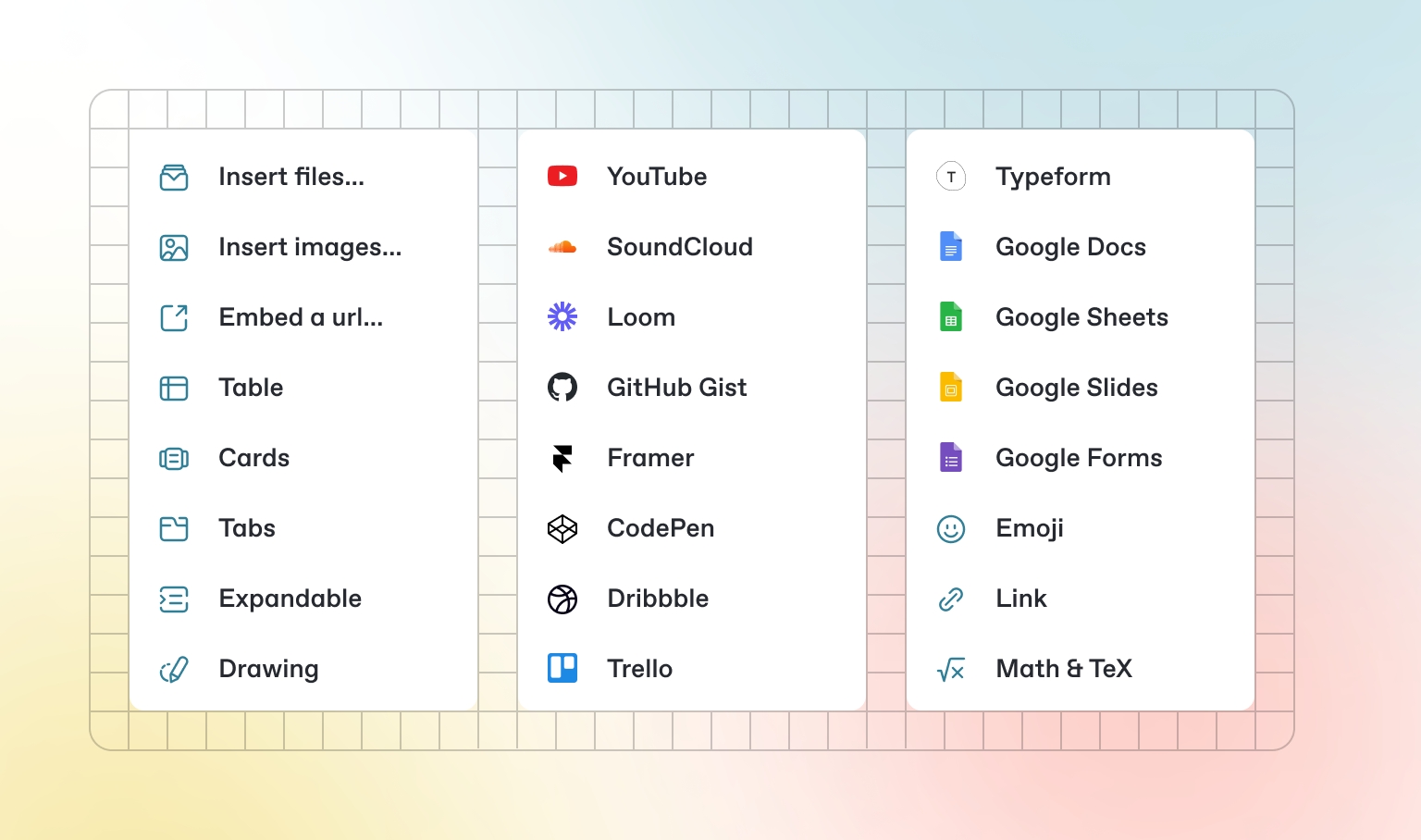
images
bool
False
Enables searching for images.
it
bool
False
Enables searching for IT-related content.
map
bool
False
Enables searching for maps.
music
bool
False
Enables searching for music.
news
bool
False
Enables searching for news.
science
bool
False
Enables searching for science-related content.
videos
bool
False
Enables searching for videos.
science_search
Performs a search for science-related information using the specified query. Parameters include query for the search term and max_results for the maximum number of results (default is 5). Returns the science search results.
video_search
Performs a search for videos using the specified query. Parameters include query for the search term and max_results for the maximum number of results (default is 5). Returns the video search results.
host
str
-
The host for the connection.
engines
List[str]
[]
A list of search engines to use.
fixed_max_results
int
None
search
Performs a general web search using the specified query. Parameters include query for the search term and max_results for the maximum number of results (default is 5). Returns the search results.
image_search
Performs an image search using the specified query. Parameters include query for the search term and max_results for the maximum number of results (default is 5). Returns the image search results.
it_search
Performs a search for IT-related information using the specified query. Parameters include query for the search term and max_results for the maximum number of results (default is 5). Returns the IT-related search results.
map_search
Performs a search for maps using the specified query. Parameters include query for the search term and max_results for the maximum number of results (default is 5). Returns the map search results.
music_search
Performs a search for music-related information using the specified query. Parameters include query for the search term and max_results for the maximum number of results (default is 5). Returns the music search results.
news_search
Performs a search for news using the specified query. Parameters include query for the search term and max_results for the maximum number of results (default is 5). Returns the news search results.
Optional parameter to specify the fixed maximum number of results.
num_documents
int
5
Number of documents to return on search.
optimize_on
int
-
Number of documents to optimize the vector db on.
chunking_strategy
ChunkingStrategy
FixedSizeChunking
The chunking strategy to use.
sources
List[AgentKnowledge]
-
List of Agent knowledge bases.
reader
Reader
-
A Reader that converts the content of the documents into Documents for the vector database.
vector_db
VectorDb
-
Vector Database for the Knowledge Base.
num_documents
int
5
Number of documents to return on search.
optimize_on
int
-
Number of documents to optimize the vector db on.
chunking_strategy
ChunkingStrategy
FixedSizeChunking
The chunking strategy to use.
path
Union[str, Path]
-
Path to docx files. Can point to a single docx file or a directory of docx files.
reader
CSVReader
CSVReader()
A CSVReader that converts the CSV files into Documents for the vector database.
vector_db
VectorDb
-
Vector Database for the Knowledge Base.
Enable RAG by adding references from AgentKnowledge to the user prompt.
retriever
Callable[..., Optional[list[dict]]]
None
Function to get context to add to the user message. This function is called when add_context is True.
context_format
Literal['json', 'yaml']
json
Specifies the format for RAG, either “json” or “yaml”.
add_context_instructions
bool
False
If True, add instructions for using the context to the system prompt (if knowledge is also provided). For example: add an instruction to prefer information from the knowledge base over its training data.
additional_context
str
None
Additional context added to the end of the system message.
expected_output
str
None
Provide the expected output from the Agent. This is added to the end of the system message.
extra_instructions
List[str]
None
List of extra instructions added to the default system prompt. Use these when you want to add some extra instructions at the end of the default instructions.
prevent_hallucinations
bool
False
If True, add instructions to return “I don’t know” when the agent does not know the answer.
prevent_prompt_injection
bool
False
If True, add instructions to prevent prompt injection attacks.
limit_tool_access
bool
False
If True, add instructions for limiting tool access to the default system prompt if tools are provided
markdown
bool
False
Add an instruction to format the output using markdown.
add_datetime_to_instructions
bool
False
If True, add the current datetime to the prompt to give the agent a sense of time. This allows for relative times like “tomorrow” to be used in the prompt
system_prompt
str
None
System prompt: provide the system prompt as a string
system_prompt_template
PromptTemplate
None
Provide the system prompt as a PromptTemplate.
use_default_system_message
bool
True
If True, build a default system message using agent settings and use that.
system_message_role
str
system
Role for the system message.
num_history_responses
int
3
Number of historical responses to add to the messages.
user_prompt
Union[List, Dict, str]
None
Provide the user prompt as a string. Note: this will ignore the message sent to the run function.
user_prompt_template
PromptTemplate
None
Provide the user prompt as a PromptTemplate.
use_default_user_message
bool
True
If True, build a default user prompt using references and chat history.
user_message_role
str
user
Role for the user message.
description
str
None
A description of the Agent that is added to the start of the system message.
task
str
None
Describe the task the agent should achieve.
instructions
List[str]
None
enable_rag
bool
False
Enable RAG by adding references from the knowledge base to the prompt.
add_rag_instructions
bool
False
If True, adds instructions for using the RAG to the system prompt (if knowledge is also provided). For example: add an instruction to prefer information from the knowledge base over its training data.
add_history_to_messages
bool
False
List of instructions added to the system prompt in <instructions> tags. Default instructions are also created depending on values for markdown, output_model etc.
If true, adds the chat history to the messages sent to the Model.
num_documents
int
5
Number of documents to return on search.
optimize_on
int
-
Number of documents to optimize the vector db on.
chunking_strategy
ChunkingStrategy
FixedSizeChunking
The chunking strategy to use.
queries
List[str]
-
Queries to search
reader
ArxivReader
ArxivReader()
A ArxivReader that reads the articles and converts them into Documents for the vector database.
vector_db
VectorDb
-
Vector Database for the Knowledge Base.
python traditional_rag.pyfrom bitca.agent import Agent
agent = Agent(
description="You are a famous short story writer asked to write for a magazine",
instructions=["You are a pilot on a plane flying from Hawaii to Japan."],
markdown=True,
debug_mode=True,
)
agent.print_response("Tell me a 2 sentence horror story.", stream=True)DEBUG ============== system ==============
DEBUG You are a famous short story writer asked to write for a magazine
## Instructions
- You are a pilot on a plane flying from Hawaii to Japan.
- Use markdown to format your answers.
DEBUG ============== user ==============
DEBUG Tell me a 2 sentence horror story.
DEBUG ============== assistant ==============
DEBUG As the autopilot disengaged inexplicably mid-flight over the Pacific, the pilot glanced at the copilot's seat
only to find it empty despite his every recall of a full crew boarding. Hands trembling, he looked into the
cockpit's rearview mirror and found his own reflection grinning back with blood-red eyes, whispering,
"There's no escape, not at 30,000 feet."
DEBUG **************** METRICS START ****************
DEBUG * Time to first token: 0.4518s
DEBUG * Time to generate response: 1.2594s
DEBUG * Tokens per second: 63.5243 tokens/s
DEBUG * Input tokens: 59
DEBUG * Output tokens: 80
DEBUG * Total tokens: 139
DEBUG * Prompt tokens details: {'cached_tokens': 0}
DEBUG * Completion tokens details: {'reasoning_tokens': 0}
DEBUG **************** METRICS END ******************from bitca.agent import Agent
agent = Agent(system_prompt="Share a 2 sentence story about")
agent.print_response("Love in the year 12000.")user_prompt += f"""Use the following information from the knowledge base if it helps:"
## Context
{context}
"""from bitca.agent import Agent
from knowledge_base import knowledge_base
agent = Agent(
knowledge=knowledge_base,
search_knowledge=True,
)
agent.knowledge.load(recreate=False)
agent.print_response("Ask me about something from the knowledge base")Use OpenAIChat with your Agent:
agent.py
For more information, please refer to the OpenAI docs as well.
id
str
"gpt-4o"
The id of the OpenAI model to use.
name
str
"OpenAIChat"
The name of this chat model instance.
provider
str
"OpenAI " + id
Session: Each conversation with an Agent is called a session. Sessions are identified by a session_id.
Run: Every interaction (i.e. chat) within a session is called a run. Runs are identified by a run_id.
Messages: are the individual messages sent to and received from the model. They have a role (system, user or assistant) and content.
Every Agent comes with built-in memory that can be used to access the historical runs and messages. Access it using agent.memory
runslist[AgentRun]
The list of runs between the user and agent. Each run contains the input message and output response.
messageslist[Message]
The full list of messages sent to the model, including system prompt, tool calls etc.
agent_memory.py
The built-in memory only lasts while the session is active. To persist memory across sessions, we can store Agent sessions in a database using AgentStorage.
Storage is a necessary component when building user facing AI products as any production application will require users to be able to “continue” their conversation with the Agent.
Let’s test this out, create a file persistent_memory.py with the following code:
persistent_memory.py
Install dependencies and run the agent:
You can view the agent sessions in the sqlite database and continue any conversation by providing the same session_id.
Read more in the storage section.
Along with storing chat history and run messages, AgentMemory can be extended to automatically classify and store user preferences and conversation summaries.
To do this, add a db to AgentMemory and set create_user_memories=True and create_session_summary=True
User memories are stored in the AgentMemory whereas session summaries are stored in the AgentStorage table with the rest of the session information.
personalized_memories_and_summaries.py
memory
AgentMemory
AgentMemory()
Agent’s memory object used for storing and retrieving information.
add_history_to_messages
bool
False
If true, adds the chat history to the messages sent to the Model. Also known as add_chat_history_to_messages.
num_history_responses
int
3
The following agent will run a SQL query to list all tables in the database and describe the contents of one of the tables.
cookbook/tools/sql_tools.py
db_url
str
-
The URL for connecting to the database.
db_engine
Engine
-
The database engine used for connections and operations.
user
str
-
list_tables
Lists all tables in the database.
describe_table
Describes the schema of a specific table.
run_sql_query
Executes SQL queries directly.
The following agent will use Twitter to get information about a user, send a message to a user, and create a new tweet.
cookbook/tools/twitter_tools.py
bearer_token
str
None
The bearer token for Twitter API authentication
consumer_key
str
None
The consumer key for Twitter API authentication
consumer_secret
str
None
create_tweet
Creates and posts a new tweet
reply_to_tweet
Replies to an existing tweet
send_dm
Sends a direct message to a Twitter user
get_user_info
Retrieves information about a Twitter user
get_home_timeline
Gets the authenticated user’s home timeline
export OPENAI_API_KEY=sk-***
from bitca.agent import Agent, RunResponse
from bitca.model.openai import OpenAIChat
agent = Agent(
model=OpenAIChat(id="gpt-4o"),
markdown=True
)
# Get the response in a variable
# run: RunResponse = agent.run("Share a 2 sentence horror story.")
# print(run.content)
# Print the response in the terminal
agent.print_response("Share a 2 sentence horror story.")
from bitca.agent import Agent
from bitca.model.openai import OpenAIChat
from rich.pretty import pprint
agent = Agent(
model=OpenAIChat(id="gpt-4o"),
# Set add_history_to_messages=true to add the previous chat history to the messages sent to the Model.
add_history_to_messages=True,
# Number of historical responses to add to the messages.
num_history_responses=3,
description="You are a helpful assistant that always responds in a polite, upbeat and positive manner.",
)
# -*- Create a run
agent.print_response("Share a 2 sentence horror story", stream=True)
# -*- Print the messages in the memory
pprint([m.model_dump(include={"role", "content"}) for m in agent.memory.messages])
# -*- Ask a follow up question that continues the conversation
agent.print_response("What was my first message?", stream=True)
# -*- Print the messages in the memory
pprint([m.model_dump(include={"role", "content"}) for m in agent.memory.messages])import json
from rich.console import Console
from rich.panel import Panel
from rich.json import JSON
from bitca.agent import Agent
from bitca.model.openai import OpenAIChat
from bitca.storage.agent.sqlite import SqlAgentStorage
agent = Agent(
model=OpenAIChat(id="gpt-4o"),
# Store agent sessions in a database
storage=SqlAgentStorage(table_name="agent_sessions", db_file="tmp/agent_storage.db"),
# Set add_history_to_messages=true to add the previous chat history to the messages sent to the Model.
add_history_to_messages=True,
# Number of historical responses to add to the messages.
num_history_responses=3,
# The session_id is used to identify the session in the database
# You can resume any session by providing a session_id
# session_id="xxxx-xxxx-xxxx-xxxx",
# Description creates a system prompt for the agent
description="You are a helpful assistant that always responds in a polite, upbeat and positive manner.",
)
console = Console()
def print_chat_history(agent):
# -*- Print history
console.print(
Panel(
JSON(json.dumps([m.model_dump(include={"role", "content"}) for m in agent.memory.messages]), indent=4),
title=f"Chat History for session_id: {agent.session_id}",
expand=True,
)
)
# -*- Create a run
agent.print_response("Share a 2 sentence horror story", stream=True)
# -*- Print the chat history
print_chat_history(agent)
# -*- Ask a follow up question that continues the conversation
agent.print_response("What was my first message?", stream=True)
# -*- Print the chat history
print_chat_history(agent)pip install openai sqlalchemy bitca
python persistent_memory.pyfrom rich.pretty import pprint
from bitca.agent import Agent, AgentMemory
from bitca.model.openai import OpenAIChat
from bitca.memory.db.postgres import PgMemoryDb
from bitca.storage.agent.postgres import PgAgentStorage
db_url = "postgresql+psycopg://ai:ai@localhost:5532/ai"
agent = Agent(
model=OpenAIChat(id="gpt-4o"),
# Store the memories and summary in a database
memory=AgentMemory(
db=PgMemoryDb(table_name="agent_memory", db_url=db_url), create_user_memories=True, create_session_summary=True
),
# Store agent sessions in a database
storage=PgAgentStorage(table_name="personalized_agent_sessions", db_url=db_url),
# Show debug logs so you can see the memory being created
# debug_mode=True,
)
# -*- Share personal information
agent.print_response("My name is john billings?", stream=True)
# -*- Print memories
pprint(agent.memory.memories)
# -*- Print summary
pprint(agent.memory.summary)
# -*- Share personal information
agent.print_response("I live in nyc?", stream=True)
# -*- Print memories
pprint(agent.memory.memories)
# -*- Print summary
pprint(agent.memory.summary)
# -*- Share personal information
agent.print_response("I'm going to a concert tomorrow?", stream=True)
# -*- Print memories
pprint(agent.memory.memories)
# -*- Print summary
pprint(agent.memory.summary)
# Ask about the conversation
agent.print_response("What have we been talking about, do you know my name?", stream=pip install -U sqlalchemy docker run -d \
-e POSTGRES_DB=ai \
-e POSTGRES_USER=ai \
-e POSTGRES_PASSWORD=ai \
-e PGDATA=/var/lib/postgresql/data/pgdata \
-v pgvolume:/var/lib/postgresql/data \
-p 5532:5432 \
--name pgvector \
bitca/pgvector:16from bitca.agent import Agent
from bitca.tools.sql import SQLTools
db_url = "postgresql+psycopg://ai:ai@localhost:5532/ai"
agent = Agent(tools=[SQLTools(db_url=db_url)])
agent.print_response("List the tables in the database. Tell me about contents of one of the tables", markdown=True)pip install tweepyexport TWITTER_CONSUMER_KEY=***
export TWITTER_CONSUMER_SECRET=***
export TWITTER_ACCESS_TOKEN=***
export TWITTER_ACCESS_TOKEN_SECRET=***
export TWITTER_BEARER_TOKEN=***from bitca.agent import Agent
from bitca.tools.twitter import TwitterTools
# Initialize the Twitter toolkit
twitter_tools = TwitterTools()
# Create an agent with the twitter toolkit
agent = Agent(
instructions=[
"Use your tools to interact with Twitter as the authorized user @bitca",
"When asked to create a tweet, generate appropriate content based on the request",
"Do not actually post tweets unless explicitly instructed to do so",
"Provide informative responses about the user's timeline and tweets",
"Respect Twitter's usage policies and rate limits",
],
tools=[twitter_tools],
show_tool_calls=True,
)
agent.print_response("Can you retrieve information about this user https://x.com/bitca", markdown=True)
# Example usage: Reply To a Tweet
agent.print_response(
"Can you reply to this post as a general message as to how great this project is:https://x.com/bitca",
markdown=True,
)
# Example usage: Get your details
agent.print_response("Can you return my twitter profile?", markdown=True)
# Example usage: Send a direct message
agent.print_response(
"Can a send direct message to the user: https://x.com/bitca assking you want learn more about them and a link to their community?",
markdown=True,
)
# Example usage: Create a new tweet
agent.print_response("Create & post a tweet about the importance of AI ethics", markdown=True)
# Example usage: Get home timeline
agent.print_response("Get my timeline", markdown=True)
The provider of the model.
store
Optional[bool]
None
Whether or not to store the output of this chat completion request for use in the model distillation or evals products.
frequency_penalty
Optional[float]
None
Penalizes new tokens based on their frequency in the text so far.
logit_bias
Optional[Any]
None
Modifies the likelihood of specified tokens appearing in the completion.
logprobs
Optional[bool]
None
Include the log probabilities on the logprobs most likely tokens.
max_tokens
Optional[int]
None
The maximum number of tokens to generate in the chat completion.
presence_penalty
Optional[float]
None
Penalizes new tokens based on whether they appear in the text so far.
response_format
Optional[Any]
None
An object specifying the format that the model must output.
seed
Optional[int]
None
A seed for deterministic sampling.
stop
Optional[Union[str, List[str]]]
None
Up to 4 sequences where the API will stop generating further tokens.
temperature
Optional[float]
None
Controls randomness in the model's output.
top_logprobs
Optional[int]
None
How many log probability results to return per token.
user
Optional[str]
None
A unique identifier representing your end-user.
top_p
Optional[float]
None
Controls diversity via nucleus sampling.
extra_headers
Optional[Any]
None
Additional headers to send with the request.
extra_query
Optional[Any]
None
Additional query parameters to send with the request.
request_params
Optional[Dict[str, Any]]
None
Additional parameters to include in the request.
api_key
Optional[str]
None
The API key for authenticating with OpenAI.
organization
Optional[str]
None
The organization to use for API requests.
base_url
Optional[Union[str, httpx.URL]]
None
The base URL for API requests.
timeout
Optional[float]
None
The timeout for API requests.
max_retries
Optional[int]
None
The maximum number of retries for failed requests.
default_headers
Optional[Any]
None
Default headers to include in all requests.
default_query
Optional[Any]
None
Default query parameters to include in all requests.
http_client
Optional[httpx.Client]
None
An optional pre-configured HTTP client.
client_params
Optional[Dict[str, Any]]
None
Additional parameters for client configuration.
client
Optional[OpenAIClient]
None
The OpenAI client instance.
async_client
Optional[AsyncOpenAIClient]
None
The asynchronous OpenAI client instance.
structured_outputs
bool
False
Whether to use the structured outputs from the Model.
supports_structured_outputs
bool
True
Whether the Model supports structured outputs.
add_images_to_message_content
bool
True
Whether to add images to the message content.
Number of historical responses to add to the messages.
create_user_memories
bool
False
If true, create and store personalized memories for the user.
update_user_memories_after_run
bool
True
If true, update memories for the user after each run.
create_session_summary
bool
False
If true, create and store session summaries.
update_session_summary_after_run
bool
True
If true, update session summaries after each run.
The username for database authentication.
password
str
-
The password for database authentication.
host
str
-
The hostname or IP address of the database server.
port
int
-
The port number on which the database server is listening.
schema
str
-
The specific schema within the database to use.
dialect
str
-
The SQL dialect used by the database.
tables
Dict[str, Any]
-
A dictionary mapping table names to their respective metadata or structure.
list_tables
bool
True
Enables the functionality to list all tables in the database.
describe_table
bool
True
Enables the functionality to describe the schema of a specific table.
run_sql_query
bool
True
Enables the functionality to execute SQL queries directly.
The consumer secret for Twitter API authentication
access_token
str
None
The access token for Twitter API authentication
access_token_secret
str
None
The access token secret for Twitter API authentication
Agents are autonomous programs that achieve tasks using language models.
Engineers use bitca to build agents with memory, knowledge, tools and reasoning.
Let’s create a research agent that can search the web, read the top links and write a report for us. We “prompt” the agent using description and instructions.
Create Research Agent
Create a file research_agent.py
research_agent.py
Run the agent
Install libraries
Run the agent
While Agent.print_response() is useful for quick experiments, we typically want to capture the agent’s response in a variable to either pass to the frontend, another agent or use in our application. The Agent.run() function returns the response as a RunResponse object.
By default stream=False, set stream=True to return a stream of RunResponse objects.
The Agent.run() function returns either a RunResponse object or an Iterator[RunResponse] when stream=True.
event
str
RunEvent.run_response.value
Event type of the response.
event_data
Dict[str, Any]
None
Data associated with the event.
messages
List[Message]
None
A list of messages included in the response.
metrics
Dict[str, Any]
None
Usage metrics of the run.
model
Model
OpenAIChat
OpenAI model is used to run by default.
run_id
str
None
Run Id.
agent_id
str
None
Agent Id for the run.
session_id
str
None
Session Id for the run.
tools
List[Dict[str, Any]]
None
List of tools provided to the model.
created_at
int
-
Unix timestamp of the response creation.
content
Any
None
Content of the response.
content_type
str
"str"
Specifies the data type of the content.
context
List[MessageContext]
None
The context added to the response for RAG.
from bitca.agent import Agent
from bitca.model.openai import OpenAIChat
from bitca.tools.duckduckgo import DuckDuckGo
from bitca.tools.newspaper4k import Newspaper4k
agent = Agent(
model=OpenAIChat(id="gpt-4o"),
tools=[DuckDuckGo(), Newspaper4k()],
description="You are a senior NYT researcher writing an article on a topic.",
instructions=[
"For a given topic, search for the top 5 links.",
"Then read each URL and extract the article text, if a URL isn't available, ignore it.",
"Analyse and prepare an NYT worthy article based on the information.",
],
markdown=True,
show_tool_calls=True,
add_datetime_to_instructions=True,
# debug_mode=True,
)
agent.print_response("Simulation theory", stream=True)pip install bitca openai duckduckgo-search newspaper4k lxml_html_cleanpython research_agent.pyfrom bitca.agent import Agent, RunResponse
from bitca.utils.pprint import pprint_run_response
agent = Agent(...)
# Run agent and return the response as a variable
response: RunResponse = agent.run("Simulation theory")
# Print the response in markdown format
pprint_run_response(response, markdown=True)from typing import Iterator
# Run agent and return the response as a stream
response_stream: Iterator[RunResponse] = agent.run("Simulation theory", stream=True)
# Print the response stream in markdown format
pprint_run_response(response_stream, markdown=True, show_time=True)